Click coin to start
My Work
Selected projects showcasing my design process and solutions
About Me
Hello and Welcome!
I'm Sydney DeLacey, a full-stack designer based in London. My passion lies in creating interactive and visually appealing designs that leave a lasting impression. With a background in computer science, I bring a unique blend of creativity and technical expertise to every project.
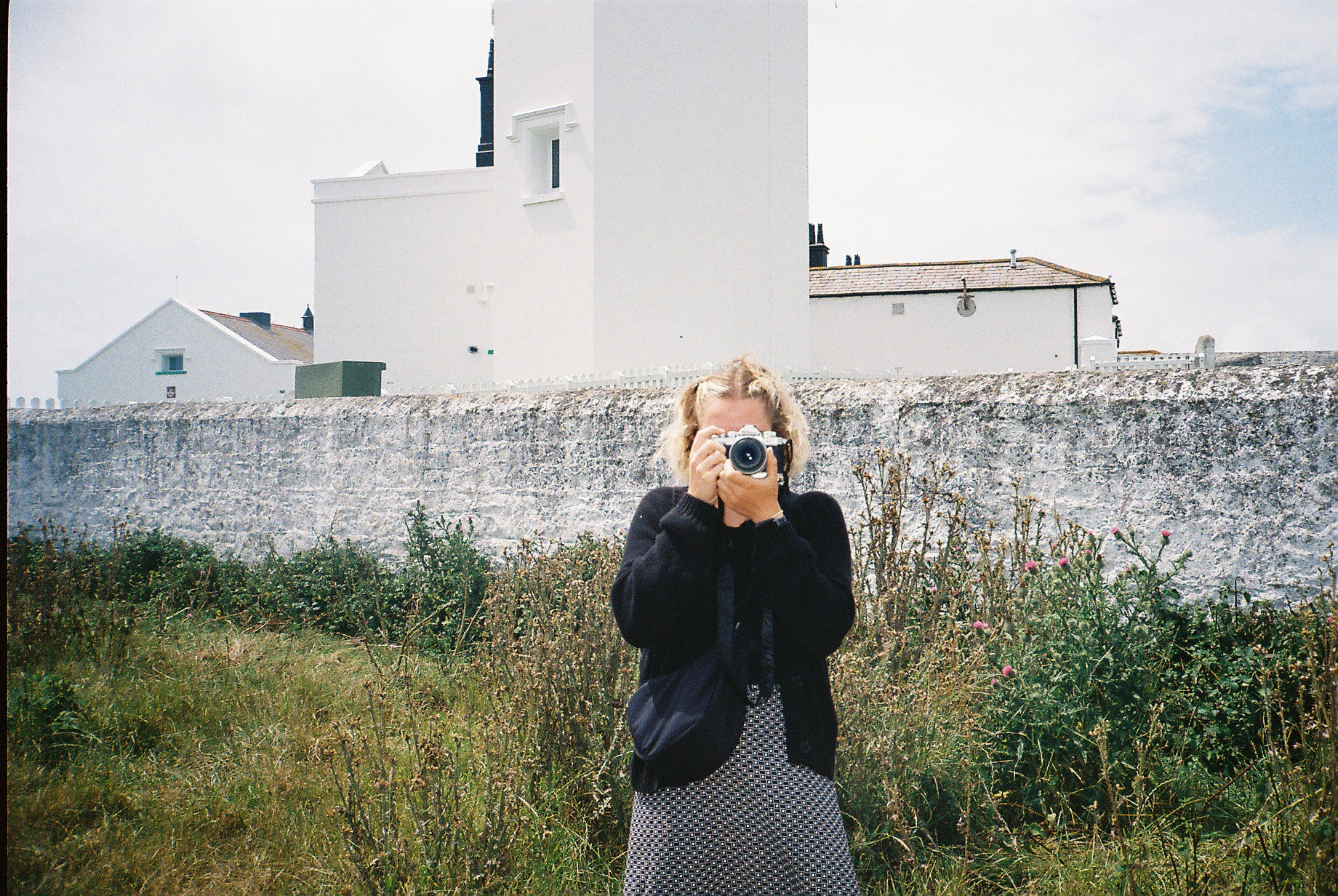
When I'm not designing, you can find me picking up a new hobby. My current favourites are knitting, photography, and jewelry making.
Skills
Tools
UKWild
The design of an information-dense website to help users learn about wildlife in the UK
Overview
Designed the information architecture for a comprehensive UK wildlife website, developing a user-centered structure that balances expert knowledge with accessibility for general audiences. The project addressed the challenge of presenting complex taxonomic information and species relationships while emphasizing often-overlooked aspects like human impact on wildlife. Through iterative user research and testing, I created a multi-layered navigation system that accommodates diverse user needs and information-seeking behaviors.
Roles
User researcher
Information Architect
UX Researcher
Domain Analyst
Tools
Delve
UXTweak
FigJam
Figma Design
Expert and User Interviews
User Testing
Design Process
1. Domain Research
Conducted interviews with domain experts and analyzed competitor websites to identify key concepts, relationships, and gaps in existing wildlife information presentation
2. Domain Modeling
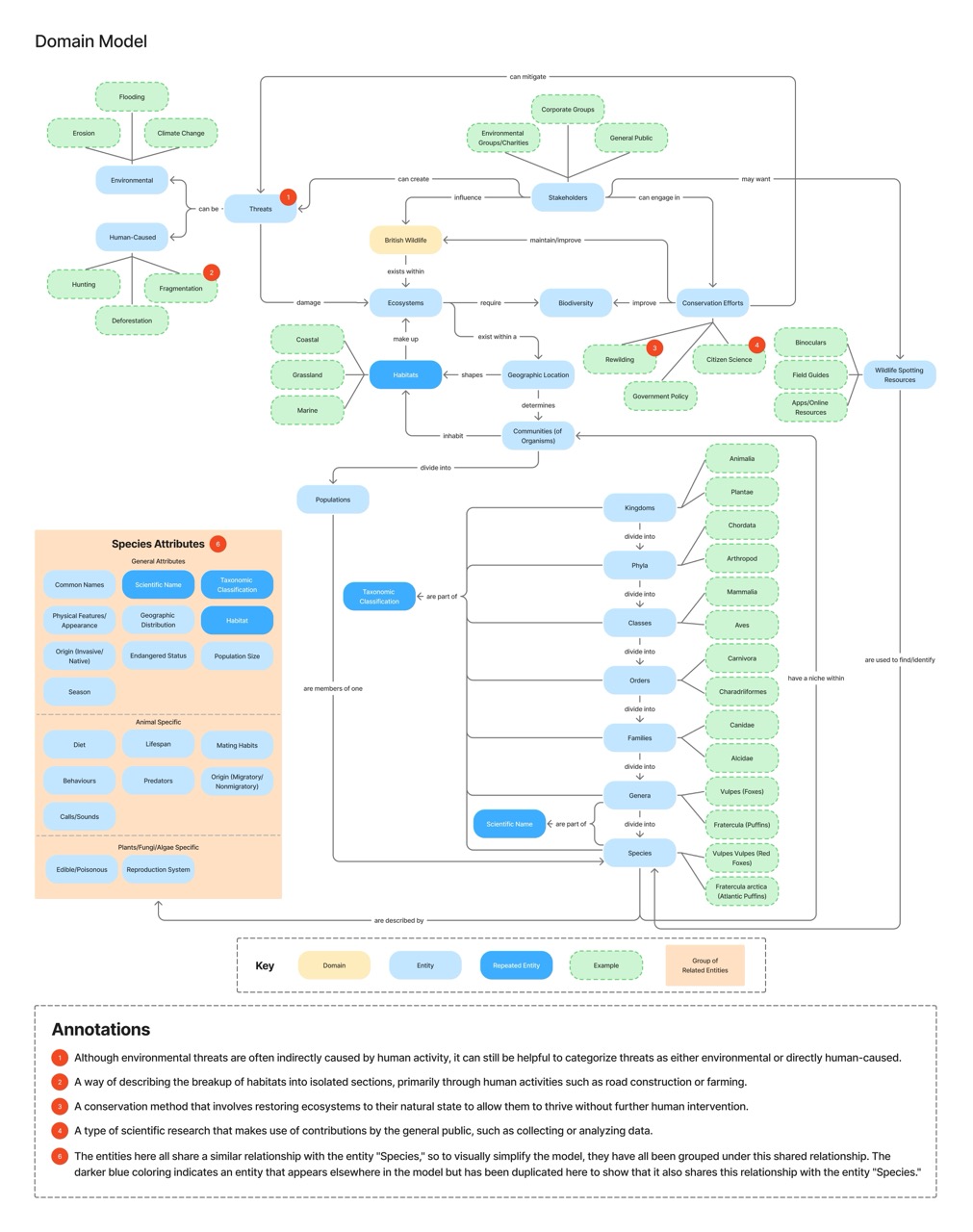
Built a structured domain model using directed relationships and visual groupings to represent wildlife in the uk, emphasizing connections between species, habitats, stakeholders, and conservation efforts
3. Site Mapping
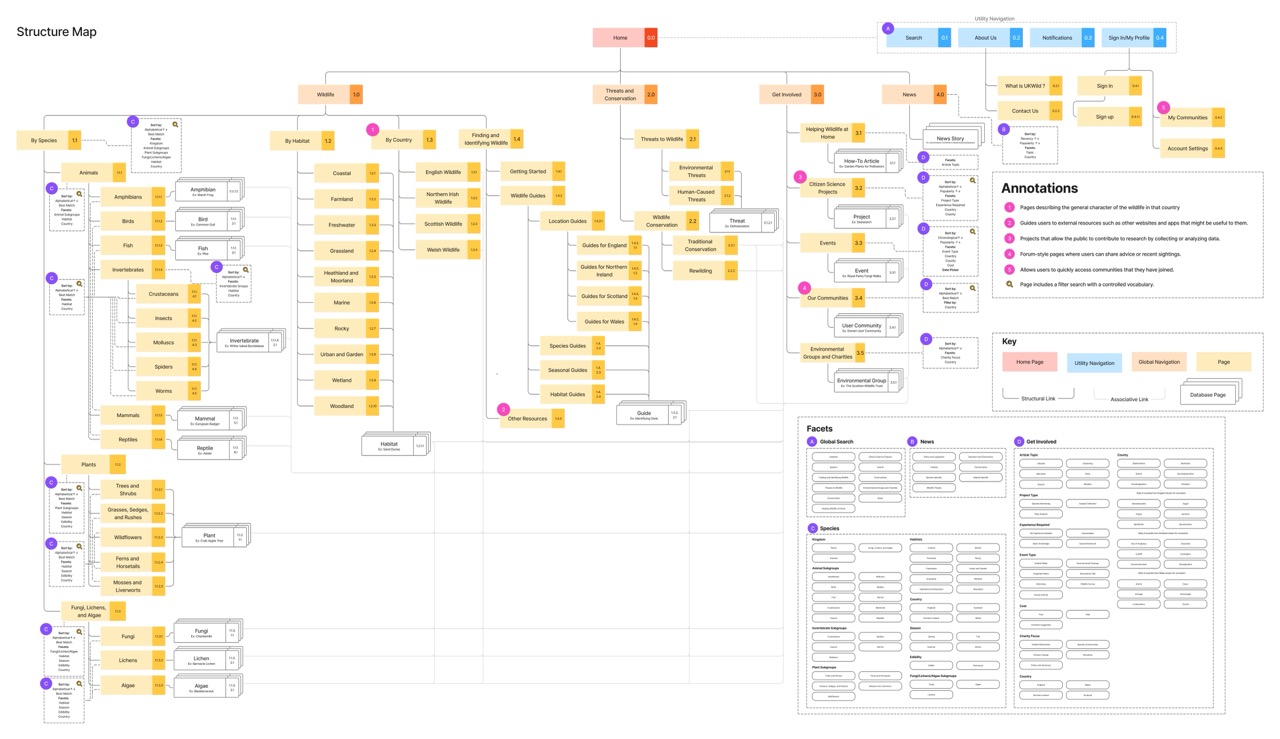
Developed a comprehensive structure map distinguishing between structural, associative, and utility navigation to create clear content hierarchy
4. Tree Testing & Refinement
Validated information architecture through tree testing, revealing issues with terminology and information scent that led to category relabeling and structural adjustments
5. User Flow Mapping
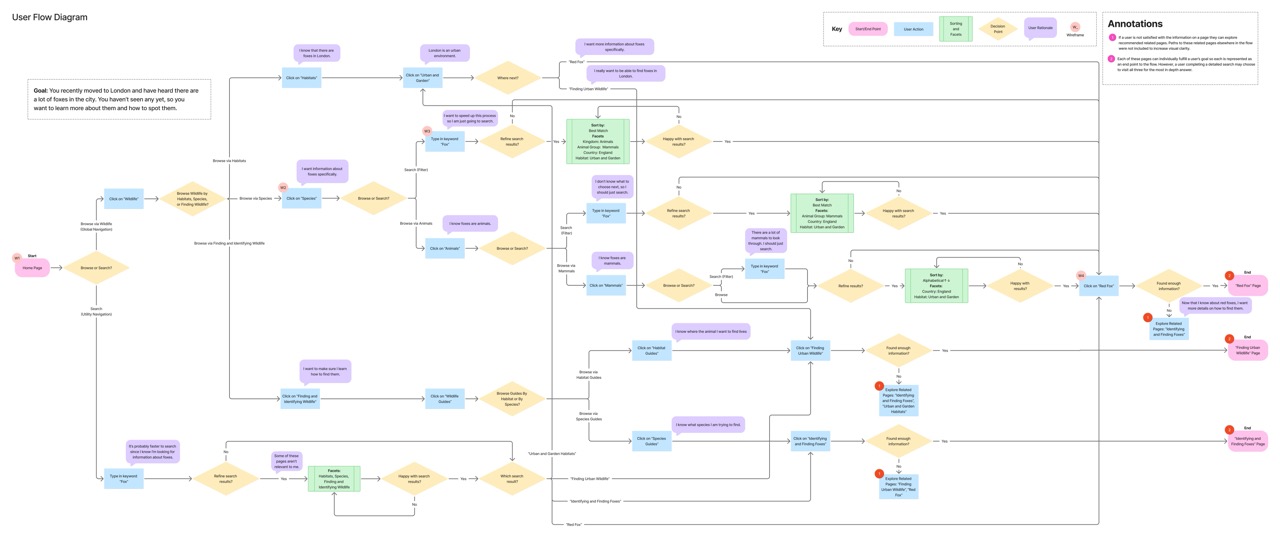
Created a detailed user flow diagram documenting an information-seeking journey with multiple exit points, accommodating varied user goals and expertise levels
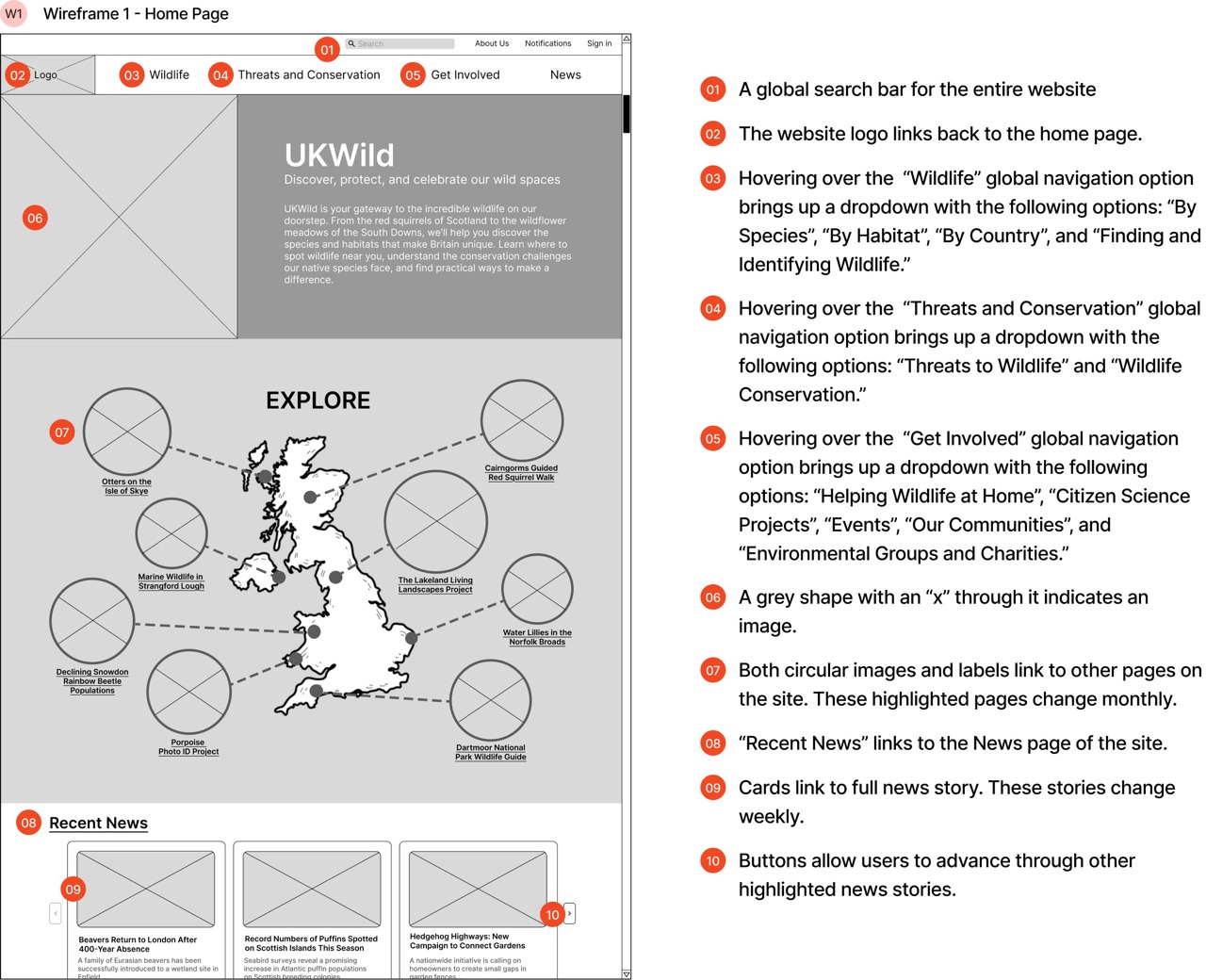
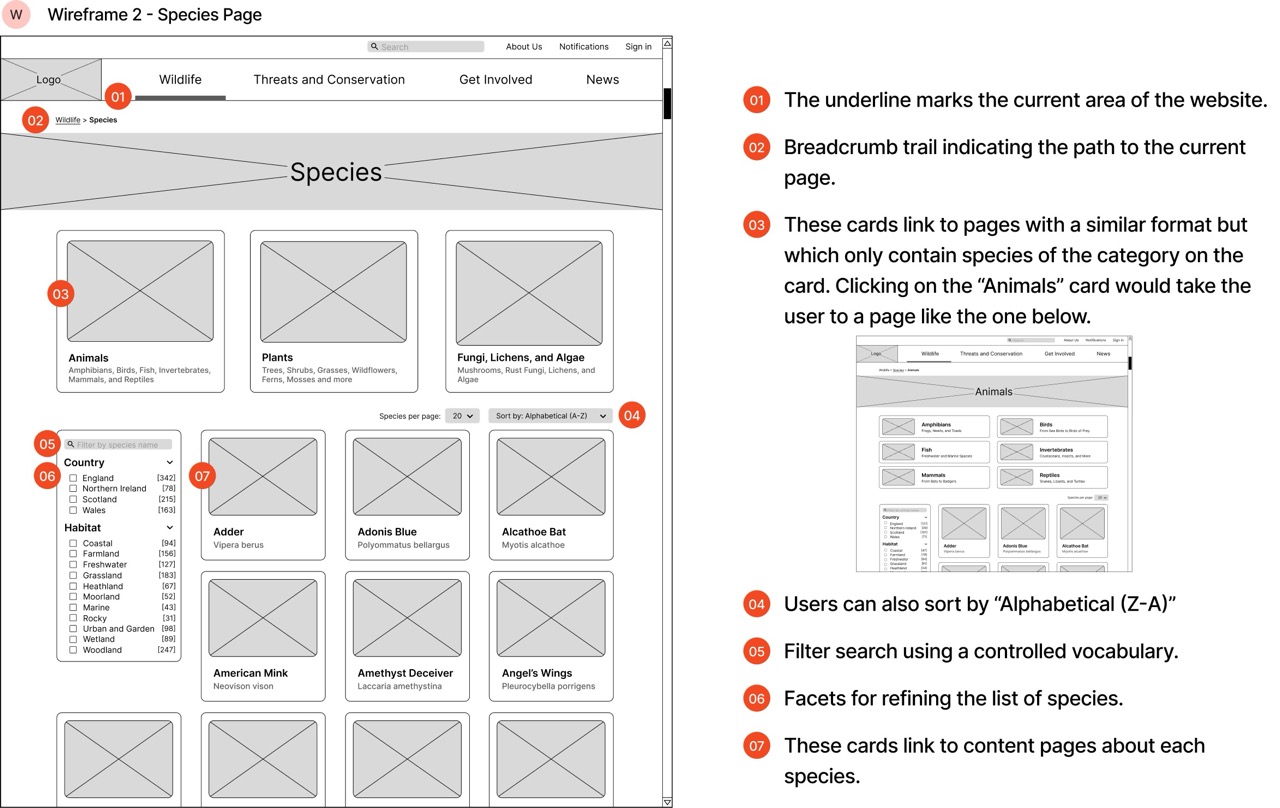
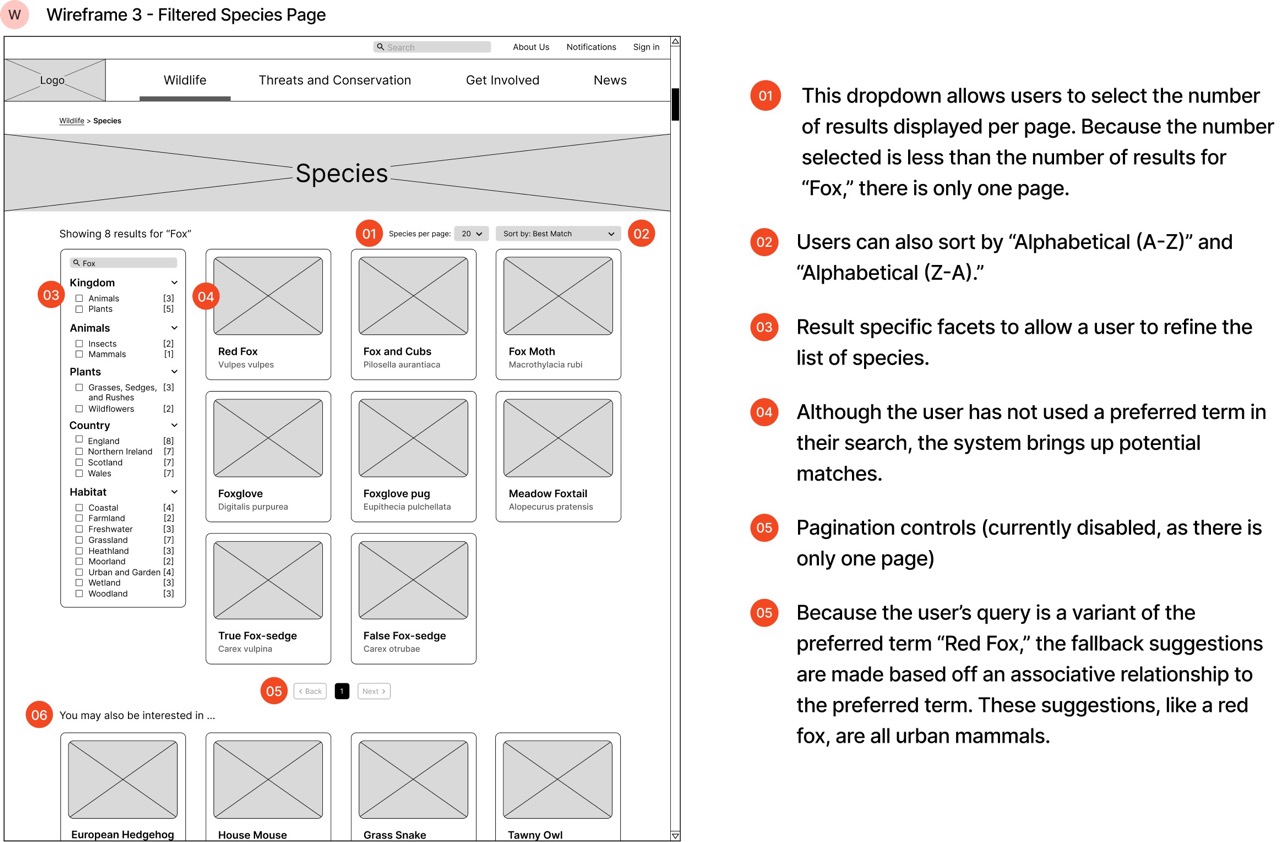
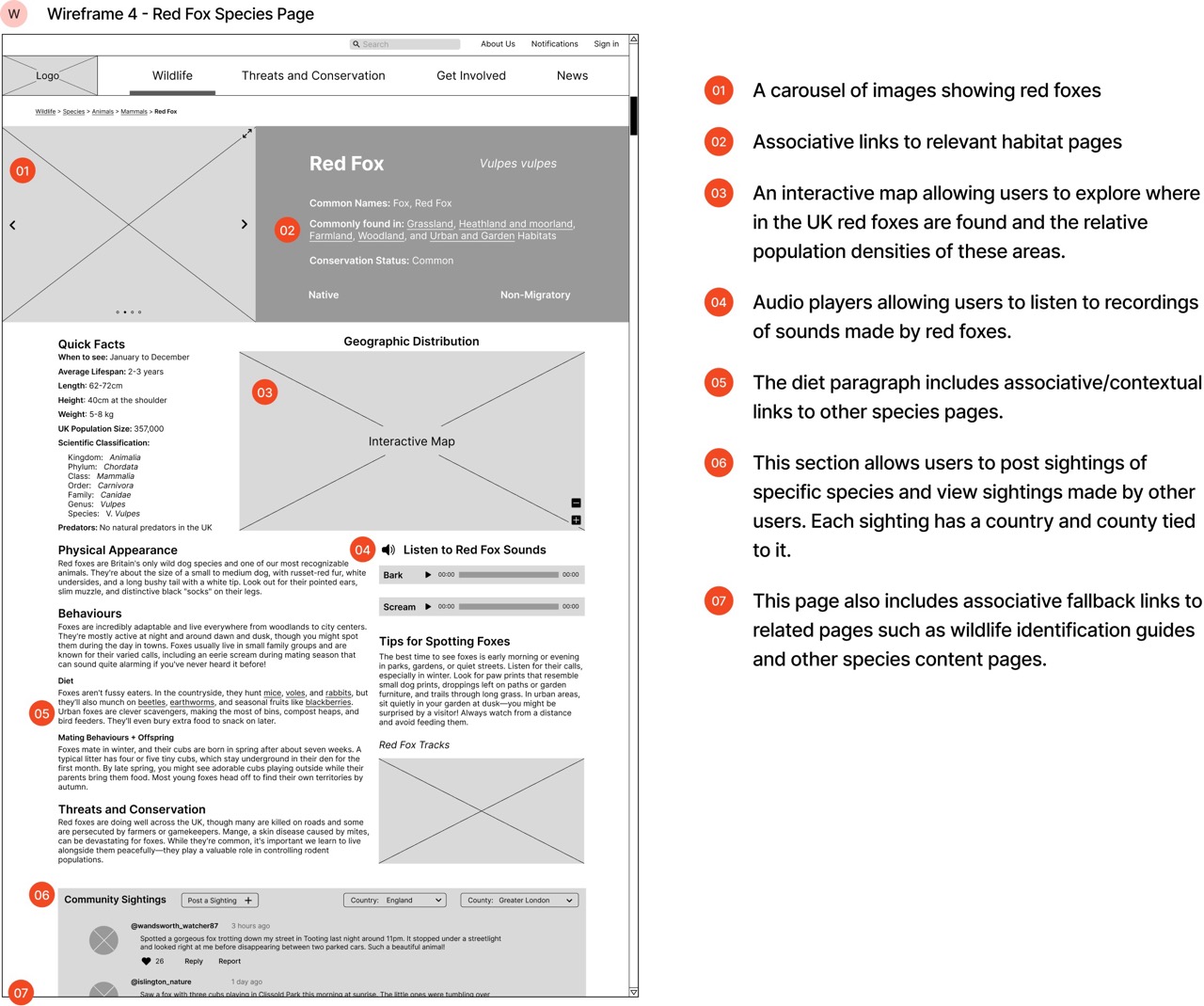
6. Wireframe Development
Designed the layout of key pages including the home page, species lists, and an individual species page.
7. Iterative Testing & Optimization
Refined designs based on insights gained during information-seeking focused user testing.
Tutankhamun's Tomb
The design and development of an interactive website presenting an annotated model of the tomb of Tutankhamun.
Overview
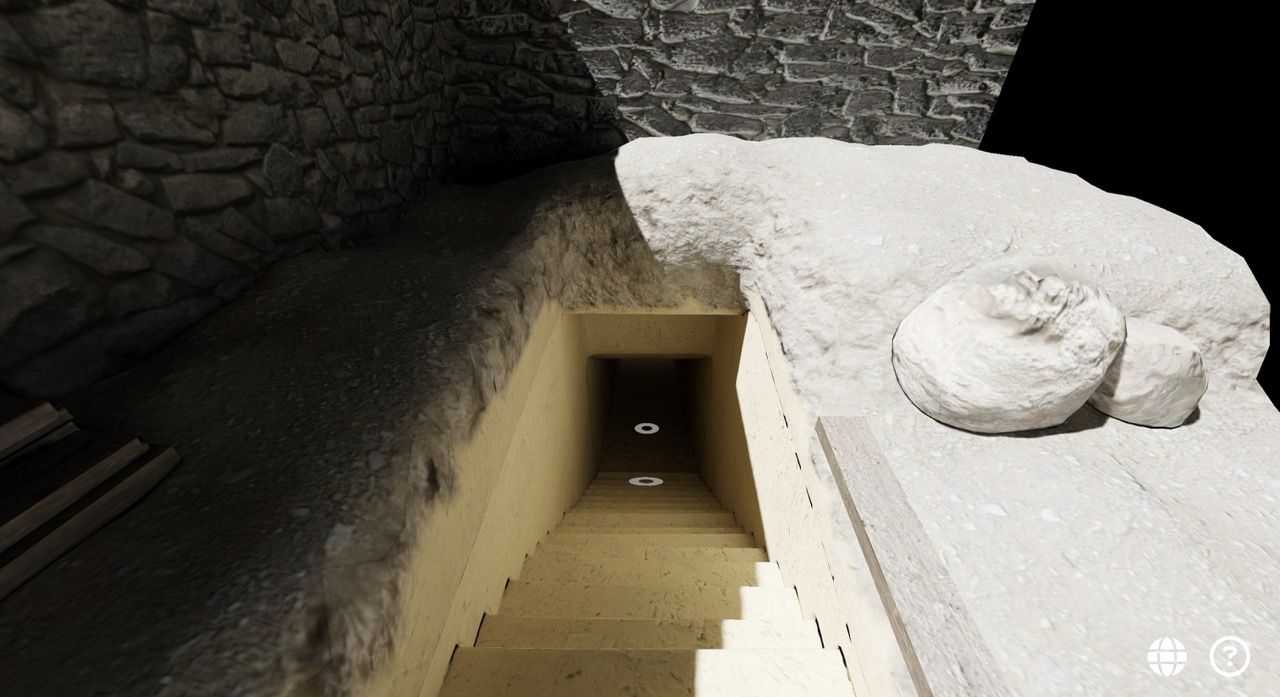
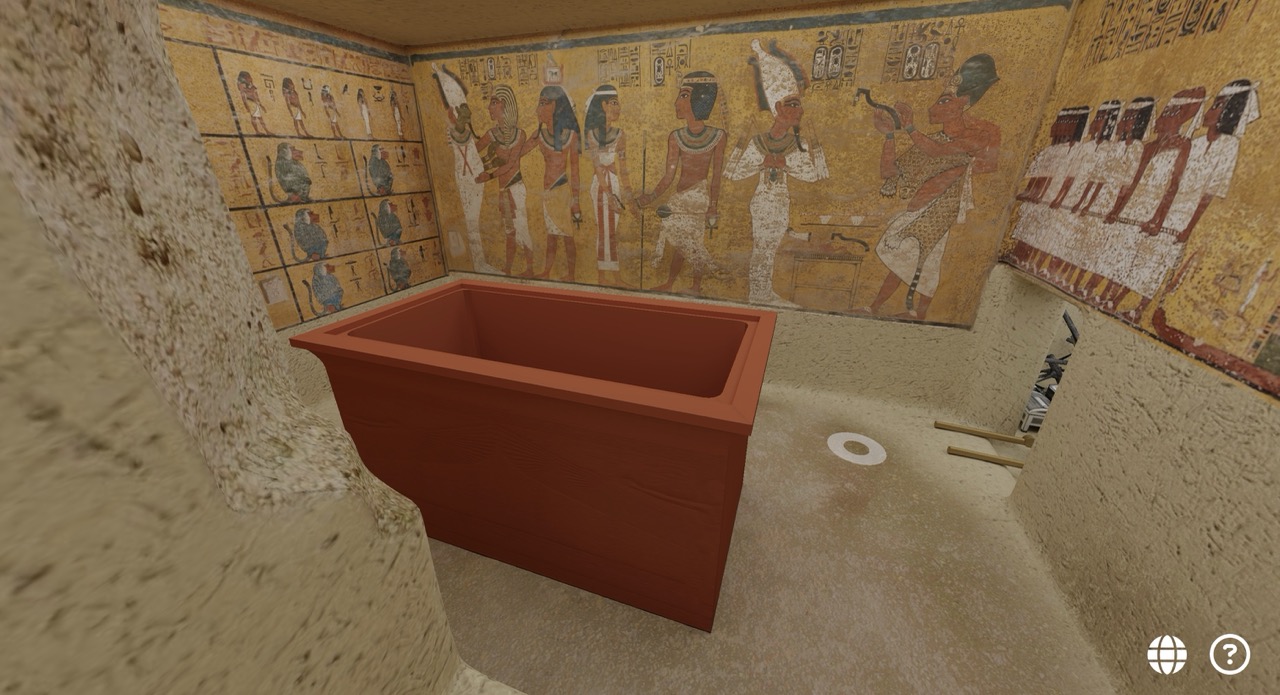
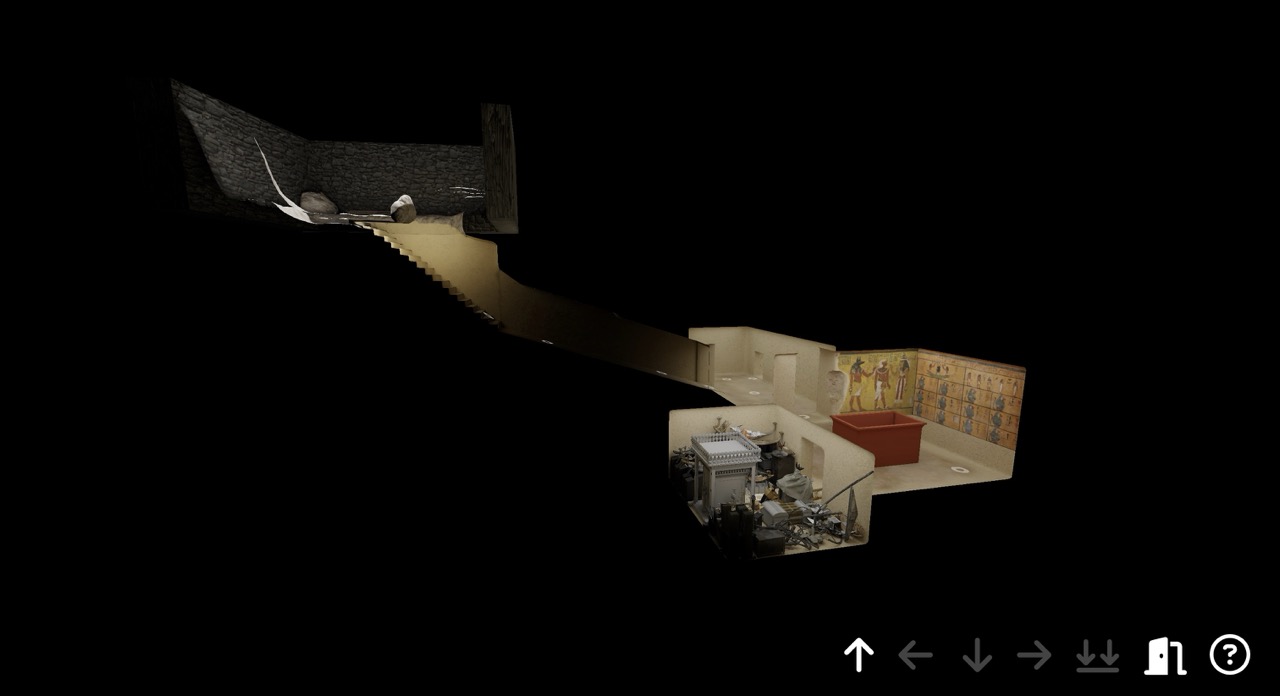
Developed an interactive web application to showcase a 3D model of King Tutankhamun's tomb in collaboration with the Griffith Institute at the University of Oxford. The project transforms century-old excavation records and photographs into an immersive digital experience, allowing users to explore the tomb as it appeared at the moment of discovery in 1922. This involved solving complex technical challenges around displaying high-fidelity 3D models in browsers while creating intuitive navigation and annotation systems that connect artifacts to their historical documentation. The application serves both educational and archival purposes, presenting materials from the Griffith Institute's archives in a format designed for the public.
Roles
Interaction Designer
UX/UI Designer
3D Web Developer
Agile Project Manager
Tools
Three.js
Blender
Figma
Vite
Chrome DevTools and Lighthouse
Colorblindly and Siteimprove
Javascript
HTML/CSS
Design Process
1. Stakeholder Collaboration & Requirements Gathering
Worked with the Griffith Institute to understand project goals, reviewed similar research and products, and defined user stories covering navigation, annotation access, and educational objectives.
2. Interactive Prototyping
Created high-fidelity interactive prototypes in Figma to test different application flows, annotation displays, and navigation methods before development, reducing implementation overhead
3. Technical Problem Solving
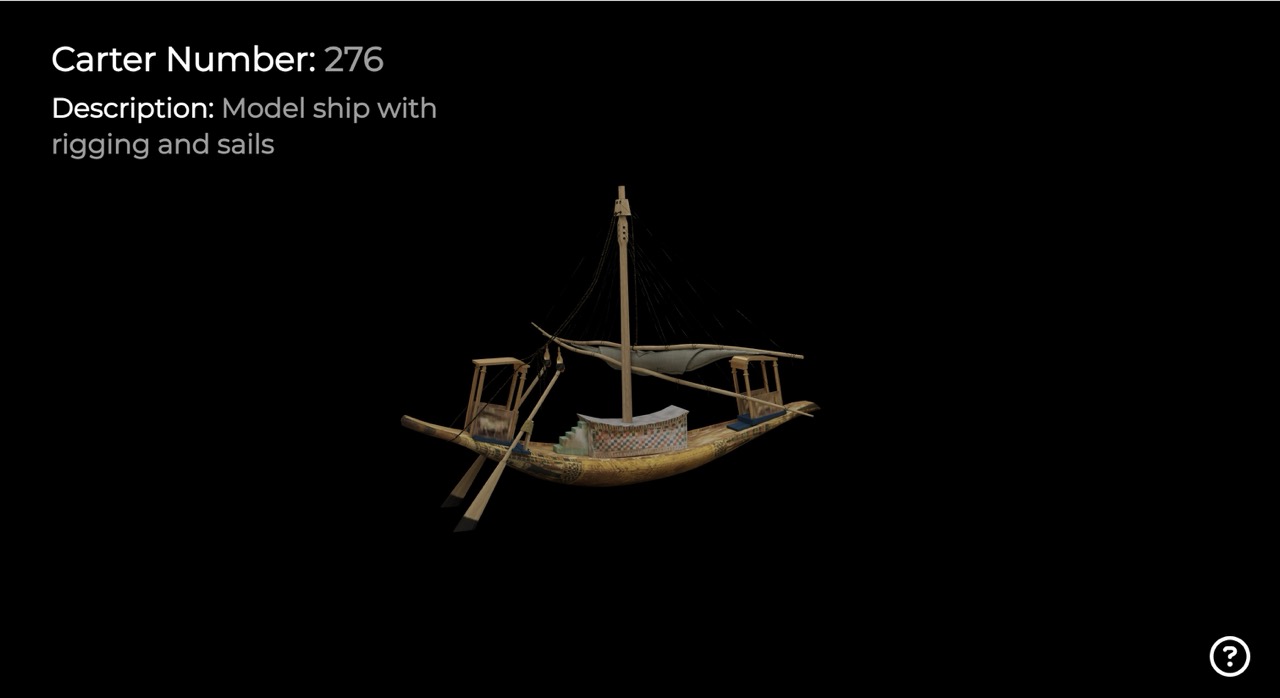
Resolved complex texture display issues through custom texture baking workflows in Blender, converting 72+ objects into optimized web-ready formats while preserving visual fidelity
4. Navigation System Design
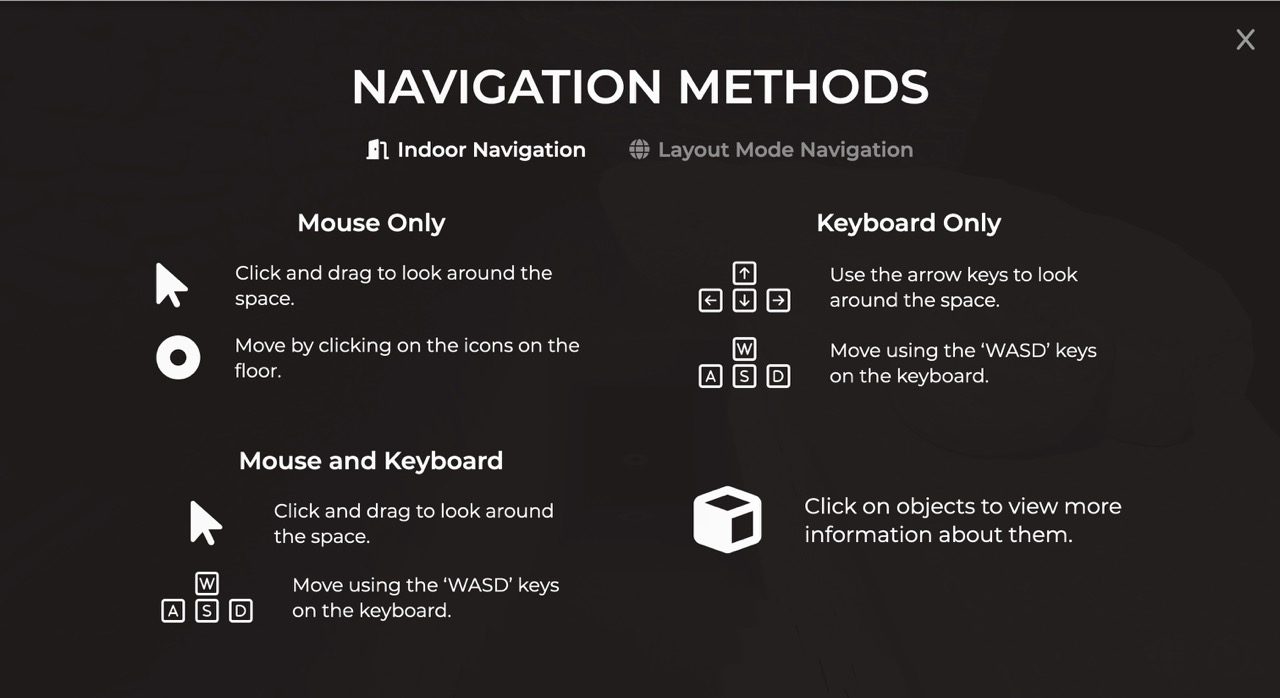
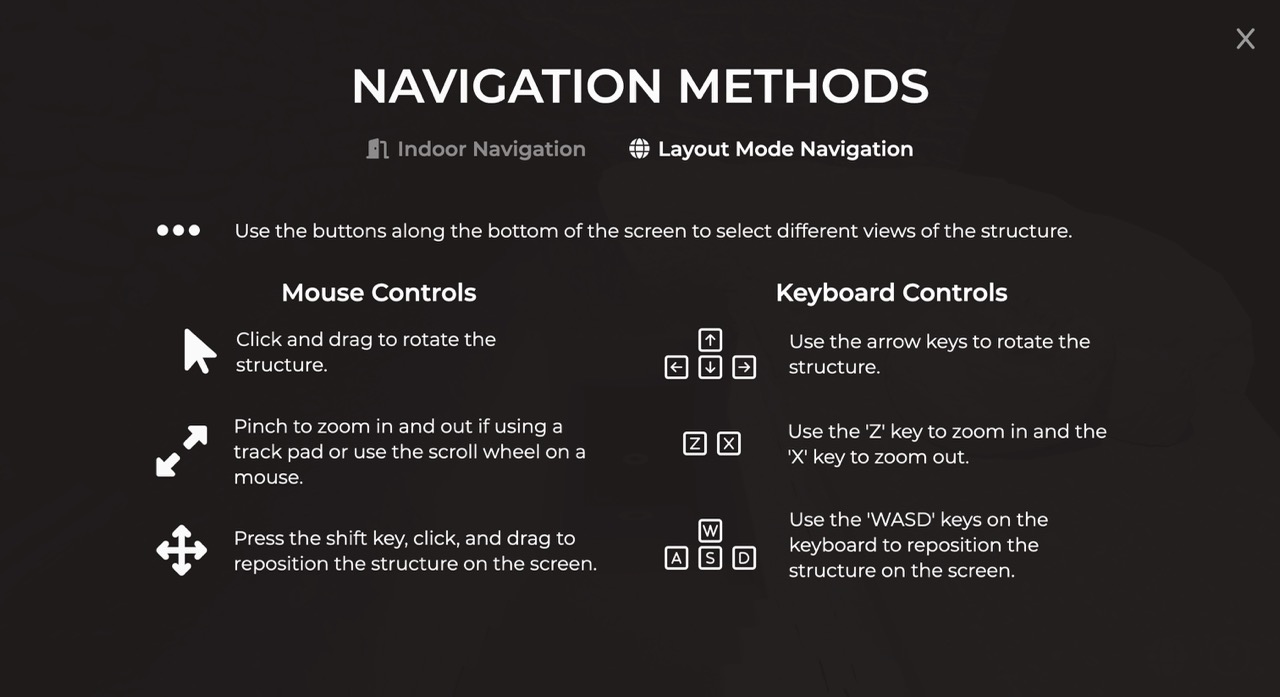
Designed dual navigation modes (indoor exploration via floor markers and external layout views) with both mouse and keyboard controls to accommodate different user preferences and abilities
5. Annotation Architecture
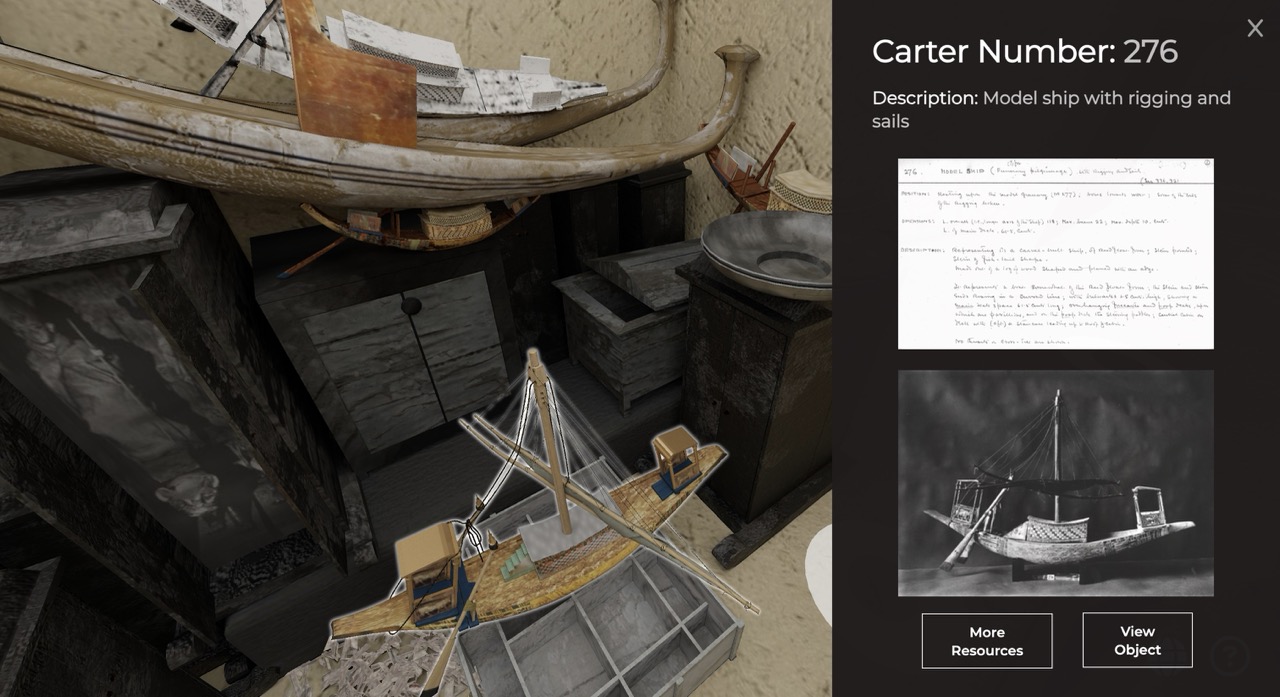
Developed interactive annotation panels linking 3D objects to excavation records, including Carter numbers, object cards, Burton photographs, and external archive links
6. Accessibility Implementation
Integrated WCAG-compliant design with reduced motion settings, keyboard navigation alternatives, high-contrast color schemes, and ARIA labels for screen reader compatibility
7. Performance Optimization
mplemented bounding volume hierarchy raycasting and code structure minimizing page reloads to ensure smooth performance across devices with varying processing power
8. Cross-Platform Testing
Conducted extensive compatibility testing across browsers, operating systems, and devices using both automated tools and exploratory testing methods
9. Stakeholder Feedback Integration
Iteratively refined annotation content and added black-and-white texture toggle to better represent the models photographic origins based on Griffith Institute feedback
Howard Carter's Slide Cabinet
The design and development of an innovative website displaying archival information.
Overview
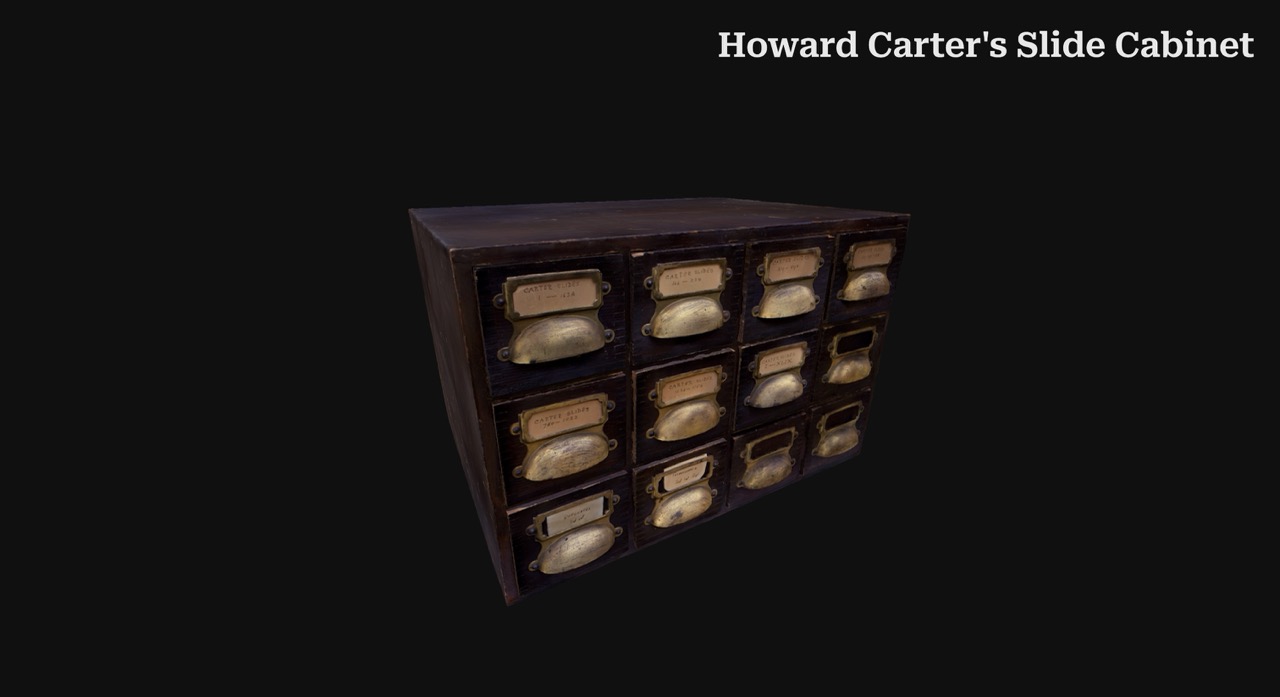
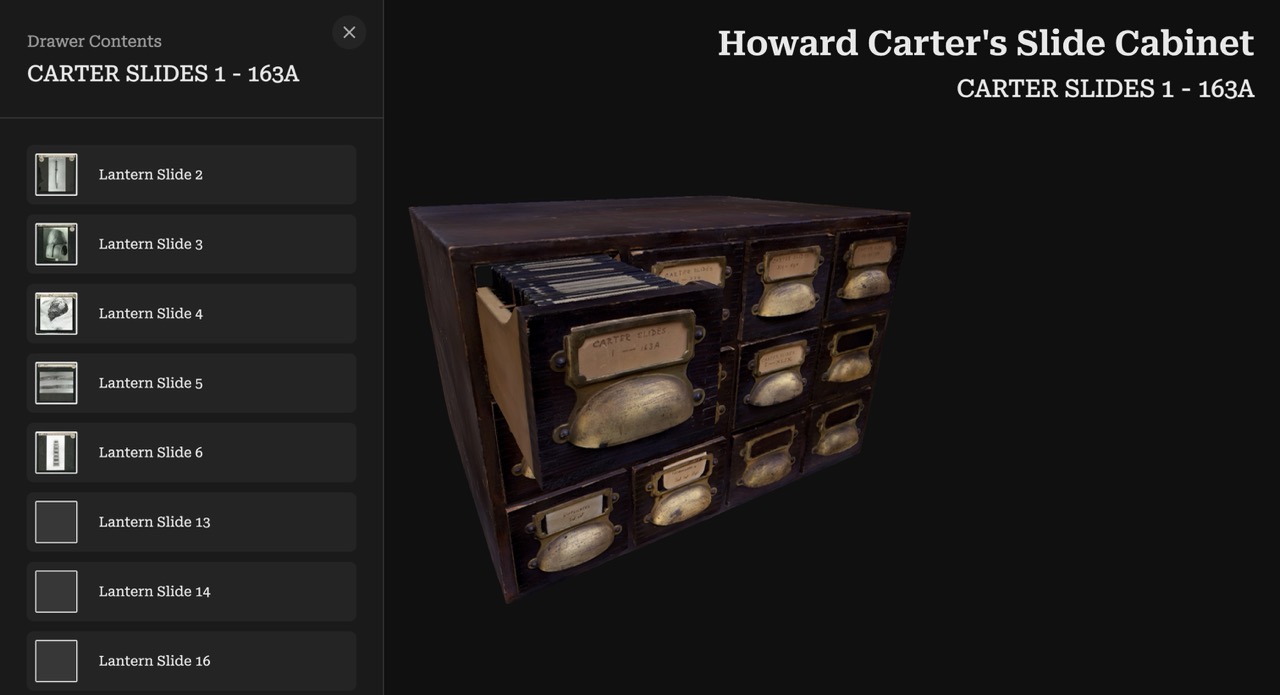
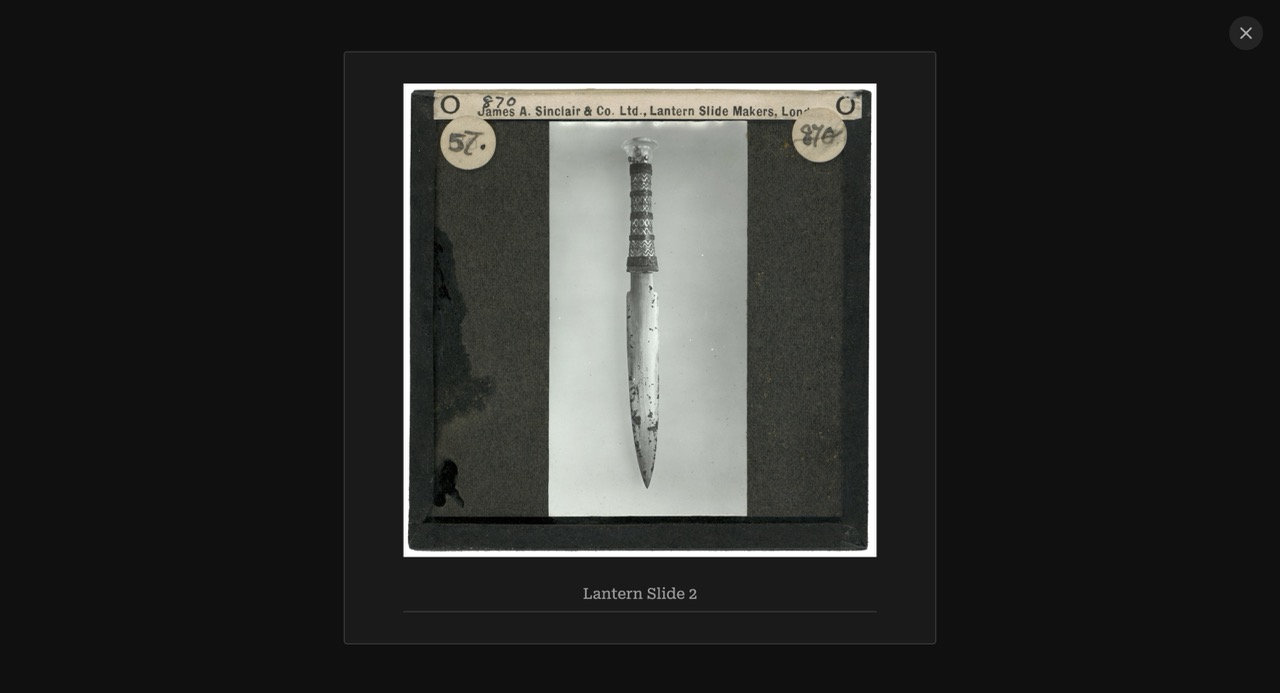
Developed an interactive 3D web experience in collaboration with the Griffith Institute at the University of Oxford to bring Howard Carter's magic lantern slide cabinet into the digital realm. This project transforms how researchers and the public engage with archival materials from the Tutankhamun excavation by creating an authentic virtual representation of the physical cabinet Carter used during his lectures in the 1920s. Using photogrammetry techniques with Polycam and refinement in Blender, I captured the cabinet's physical structure, then built a web-based interface allowing users to explore drawers, discover their contents, and examine individual magic lantern slides with detailed metadata. The solution bridges historical preservation with modern interaction design, making fragile archival materials accessible while maintaining the contextual relationship between the cabinet and its contents.
Roles
3D Modeler
Web Developer
Interaction Designer
UX Designer
Tools
Polycam
Blender
Three.js
JavaScript/HTML/CSS
Design Process
1. Archival Research & Stakeholder Collaboration
Worked closely with Griffith Institute curators and archivists to understand the historical significance of Carter's magic lantern cabinet, its role in early Egyptology education, and requirements for accurate digital representation and a successful product
2. Photogrammetry Capture Planning
Developed comprehensive photography strategy to capture all cabinet surfaces, angles, and details, accounting for lighting conditions, reflective surfaces, and physical access constraints in the archive environment
3. 3D Model Creation
Captured hundreds of photographs of the cabinet from multiple angles, then using Polycam processed them into an initial 3D mesh that preserved authentic textures, wear patterns, and historical character
4. Model Refinement in Blender
Optimized photogrammetry output by cleaning geometry, reducing polygon count for web performance, correcting topology issues, and ensuring drawer mechanisms would function realistically in the interactive experience
5. Interaction Design
Designed intuitive cabinet exploration mechanics allowing users to rotate the full cabinet view, select and open individual drawers with realistic animations, and transition smoothly between overview and detailed slide examination
6. Web Application Development
Built browser-based interface using Three.js to render the 3D cabinet, implementing drawer interaction states, slide gallery views within drawers, and individual slide detail panels with archival information
7. Stakeholder Feedback Integration
Iteratively refined content interactions based on Griffith Institute feedback to make the product more intuitive and better acheive the Intitute's goals.
Harmonic Park
The design of a novel music creation system to help users engage with their surroundings in Regent's park.
Overview
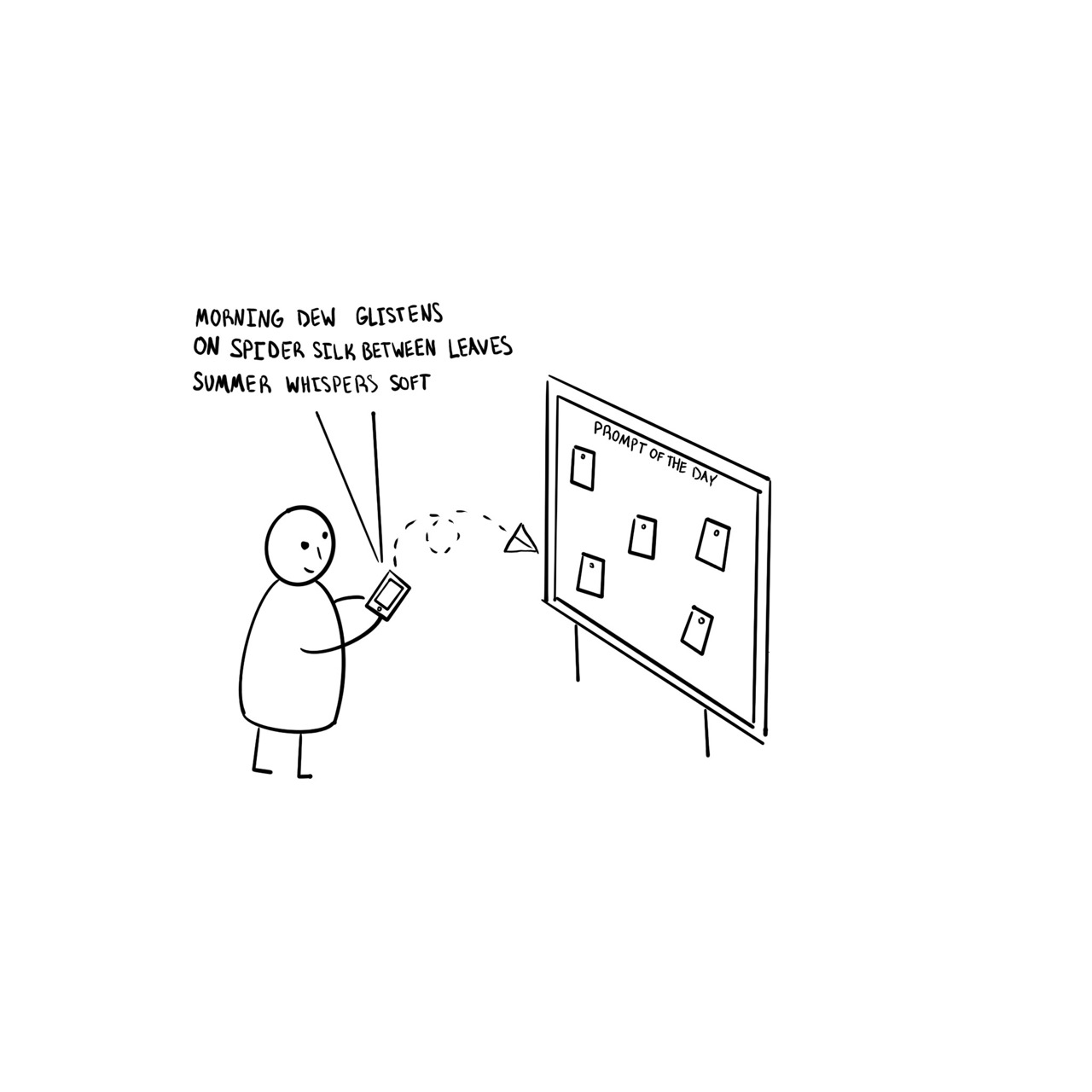
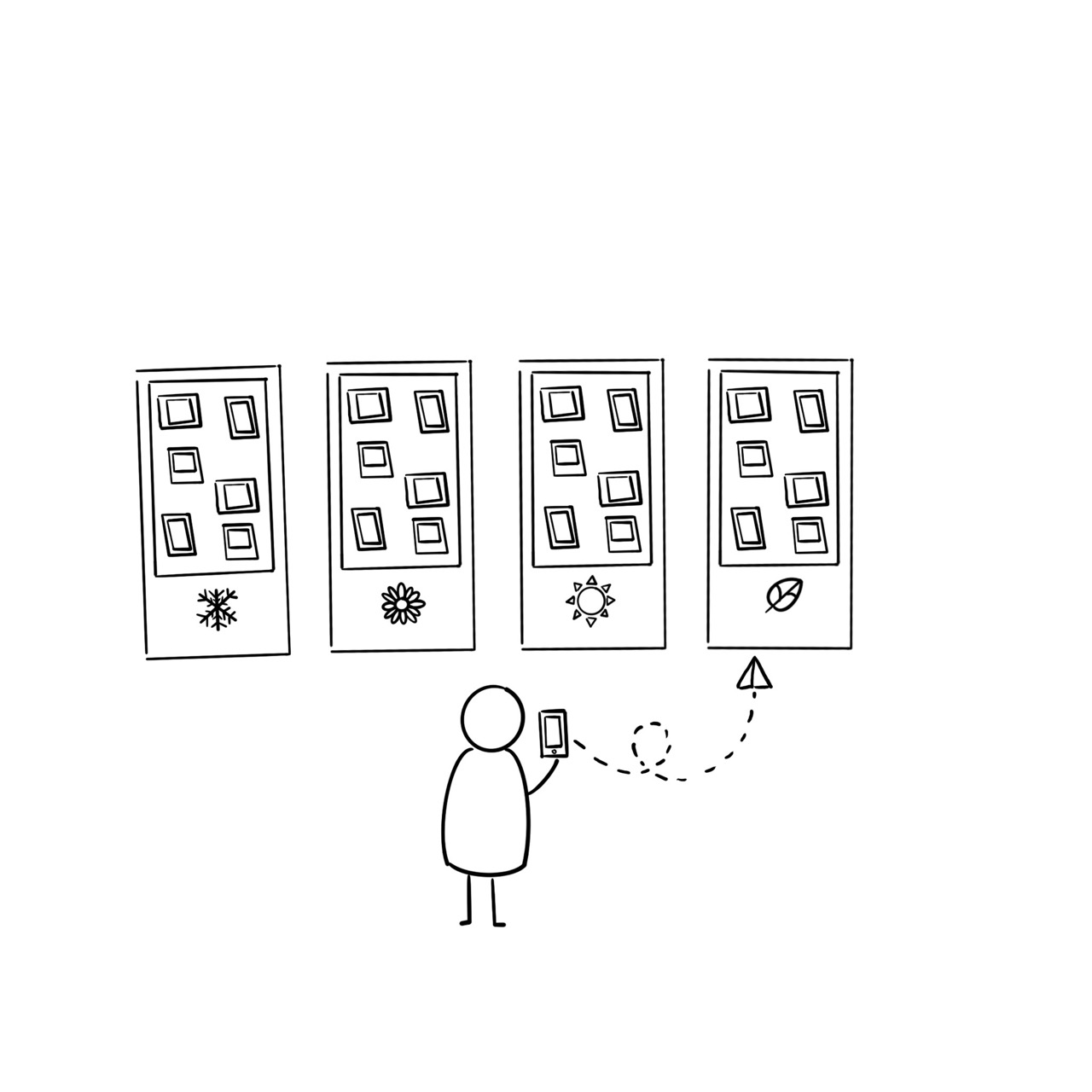
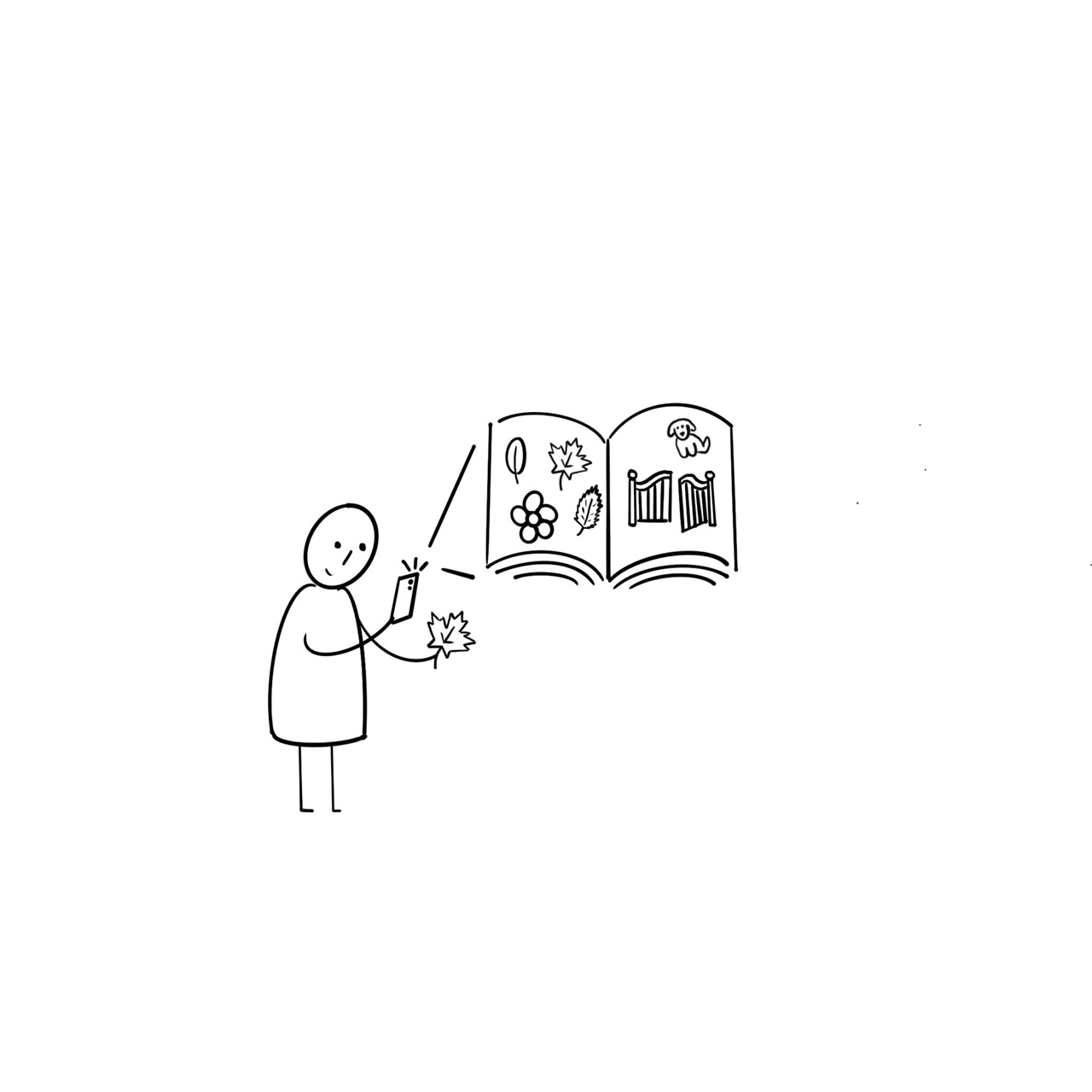
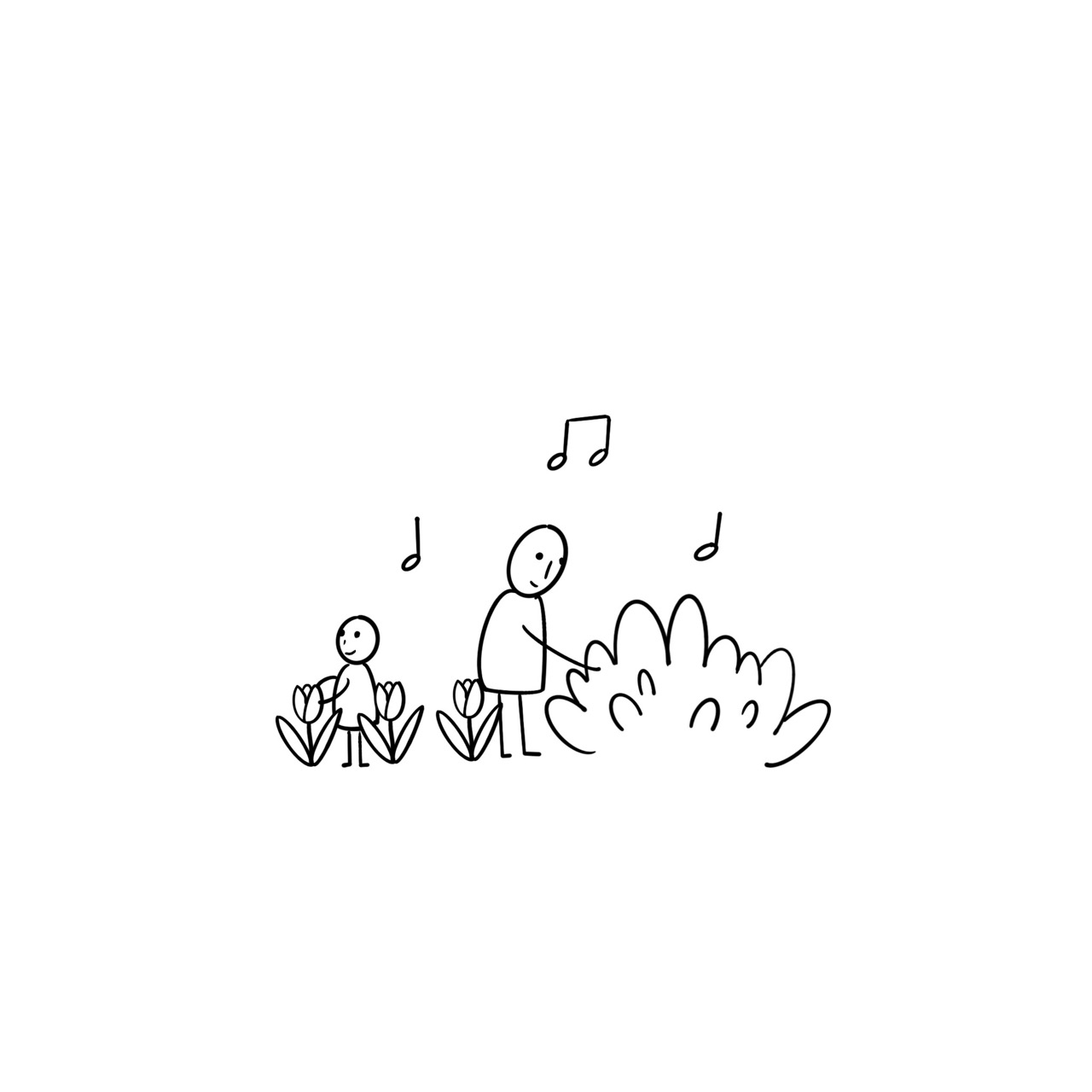
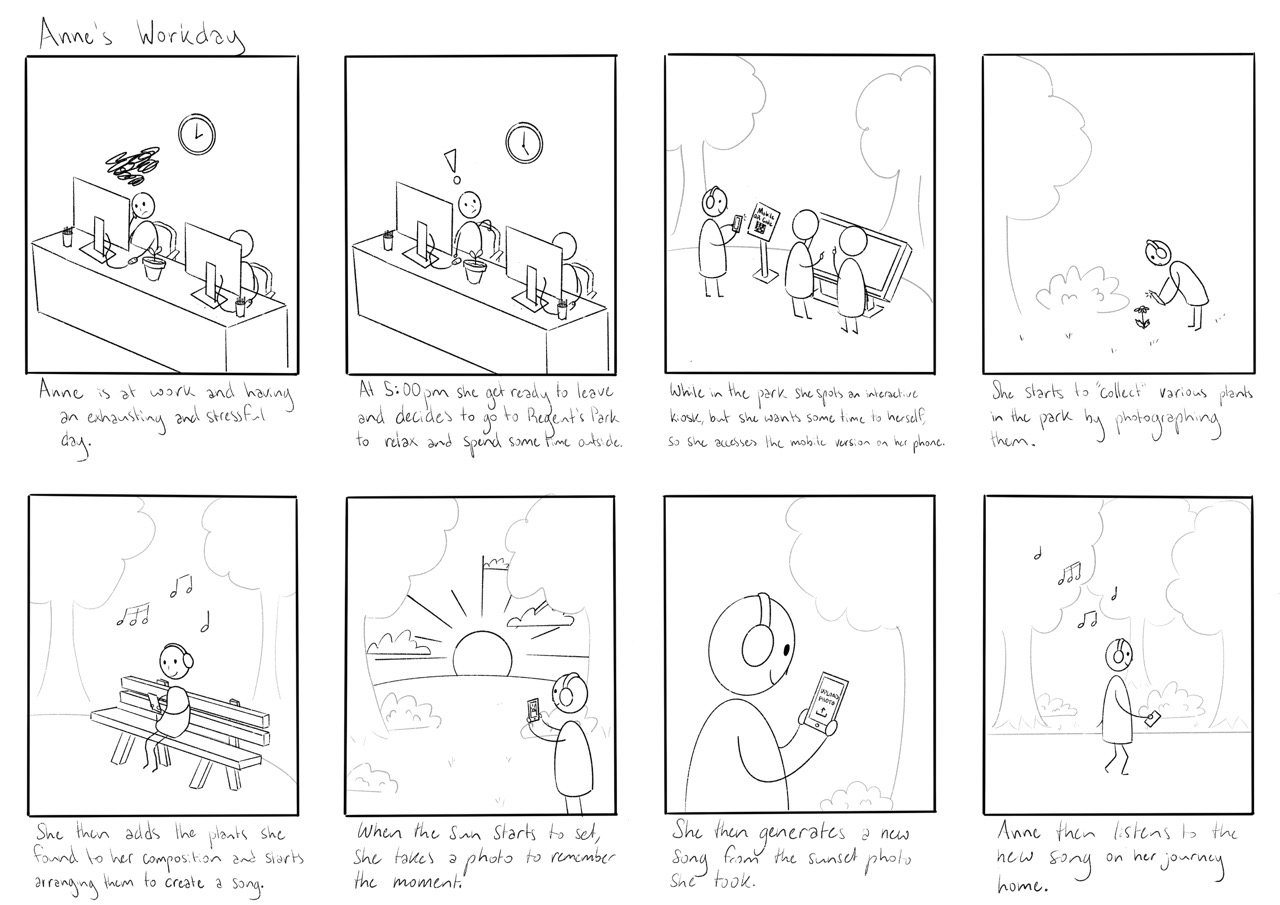
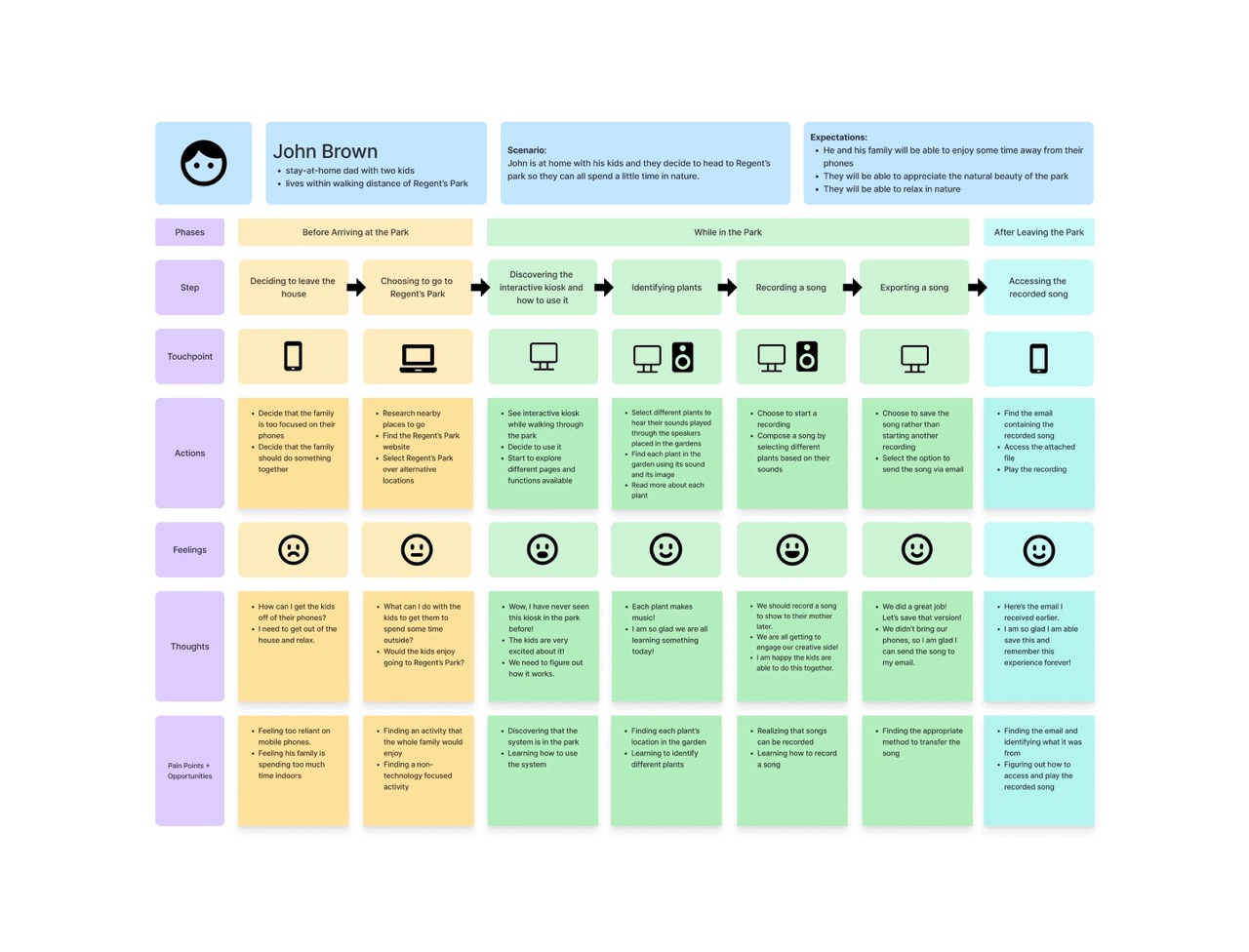
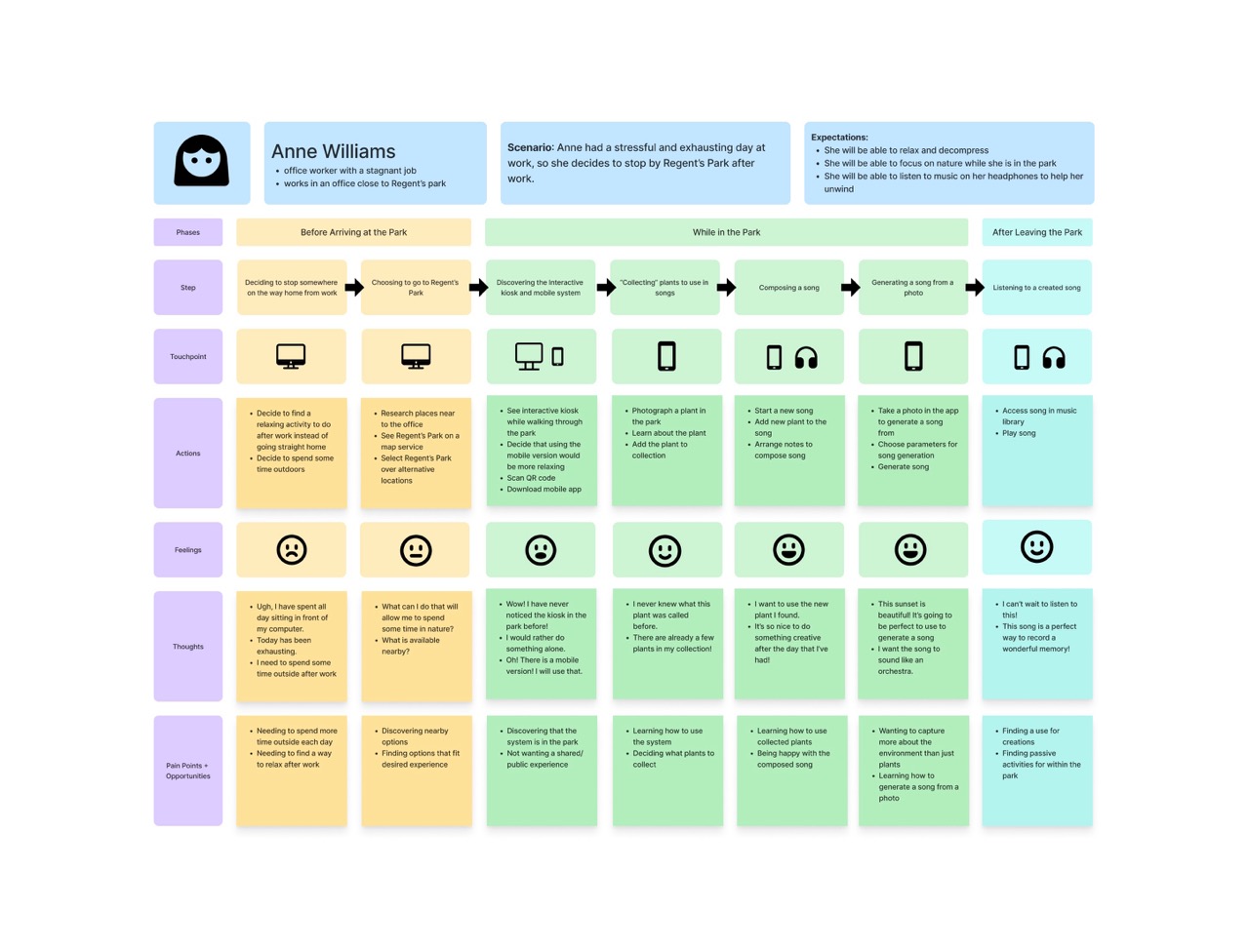
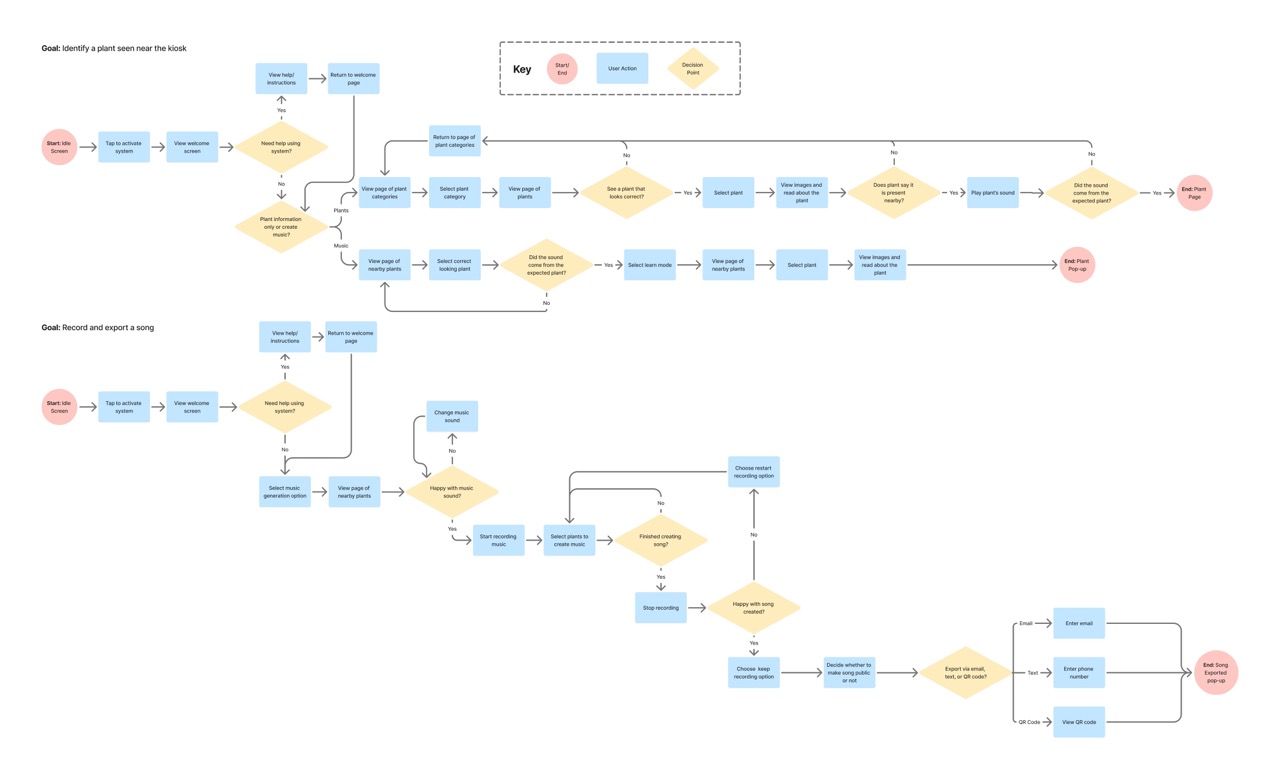
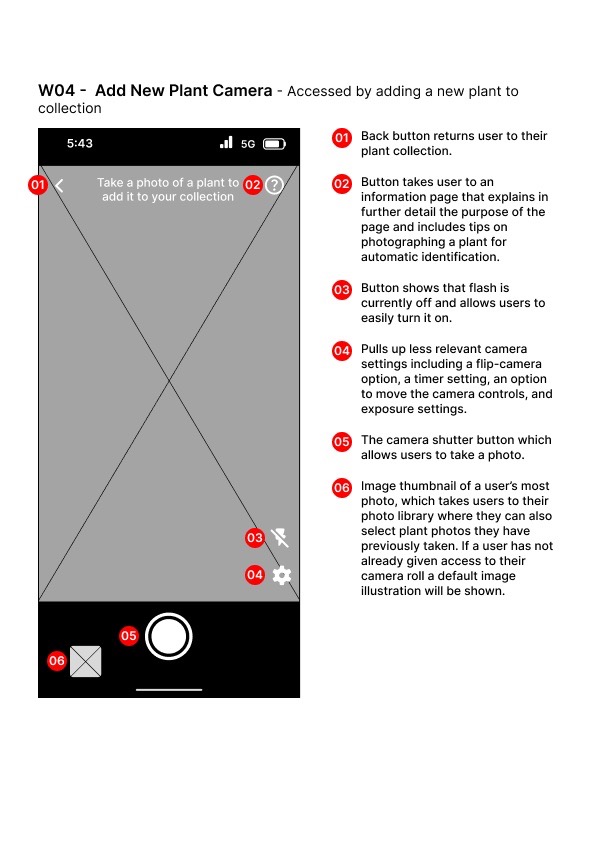
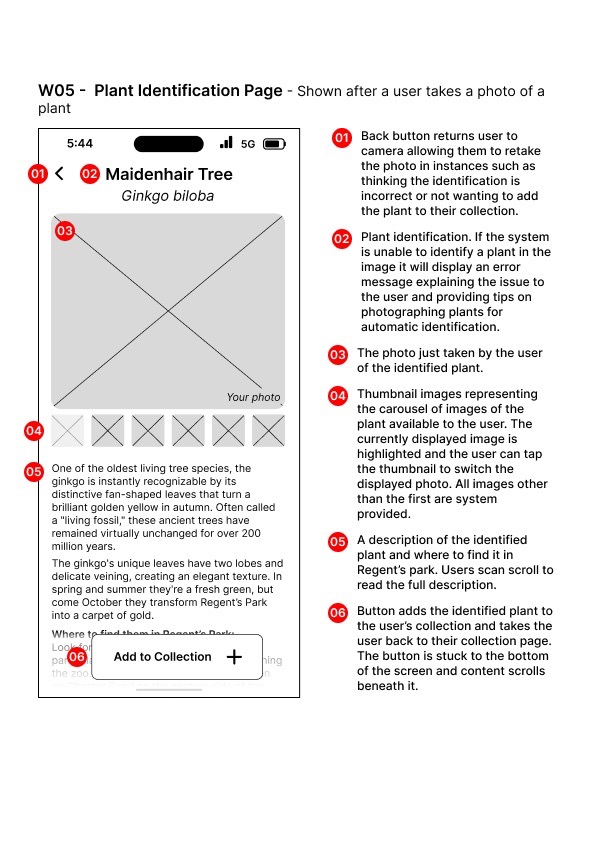
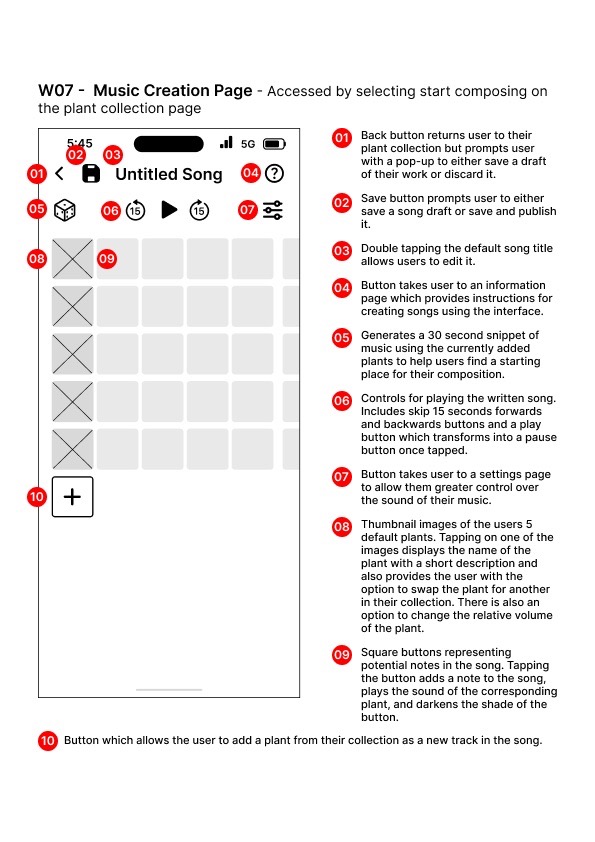
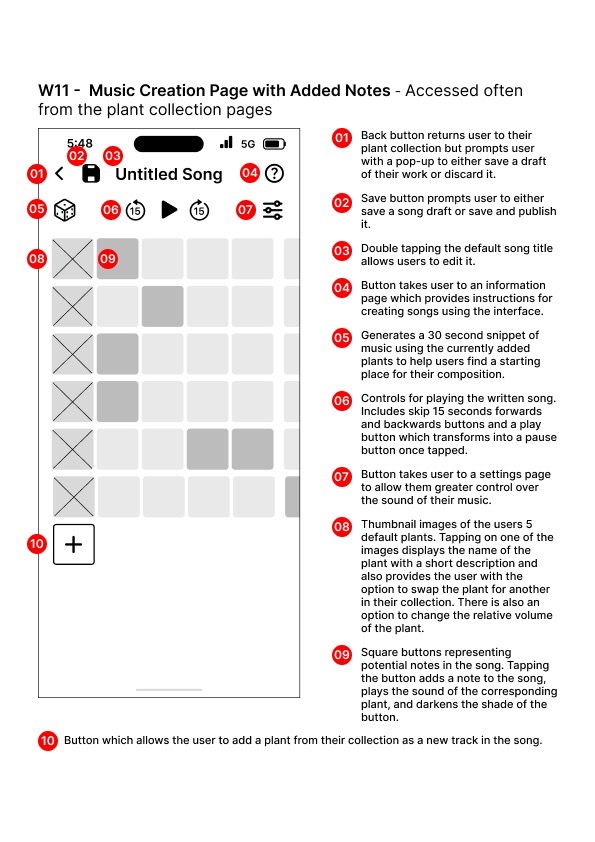
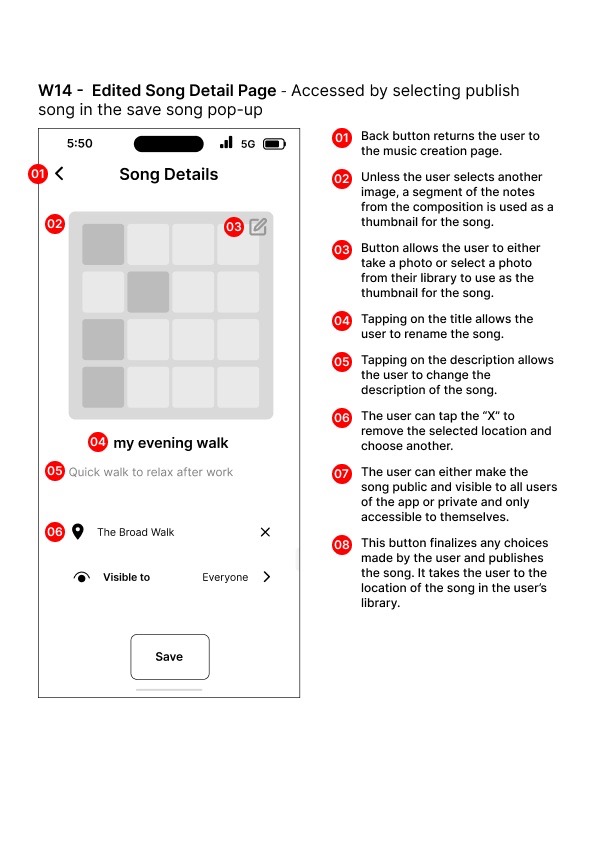
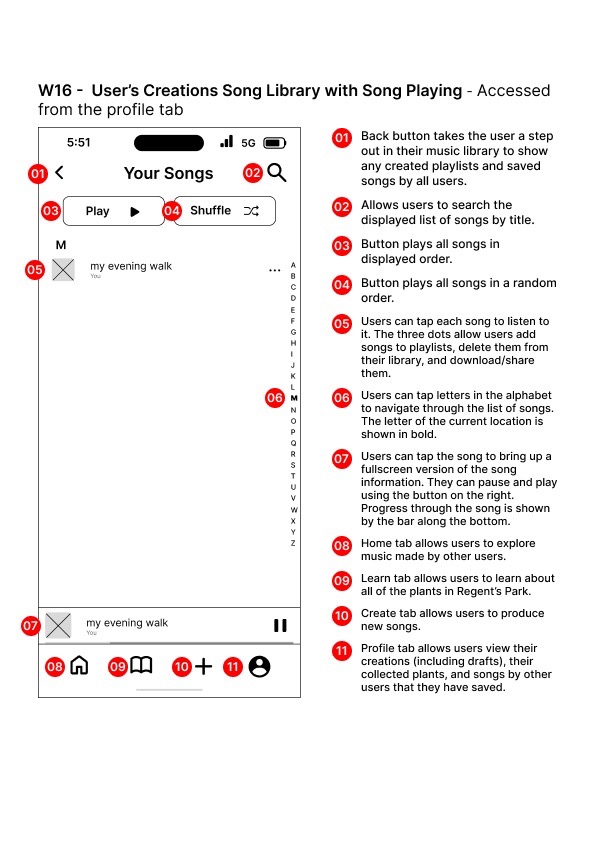
Designed an interactive digital experience for Regent's Park in London that enables visitors to engage meaningfully with nature through music creation and plant discovery. The project addresses two distinct visitor needs: those seeking novel experiences and learning opportunities, and those looking for mindful, restorative activities away from urban stress. Through extensive user research including direct observation and interviews, I developed a dual-platform solution comprising a mobile app for personal plant collection and composition, and public digital kiosks for shared, phone-free musical experiences. The design encourages creative engagement with flora while supporting diverse interaction preferences from active exploration to passive relaxation.
Roles
User Researcher
UX Designer
Interaction Designer
Concept Designer
Tools
Figma Design
Procreate
FigJam
Direct Observation and User Interviews
Design Process
1. Naturalistic Observation Research
Conducted direct observations with research team across five distinct park areas (Sculpture Park, Boat Lake, Inner Circle, Cumberland Green, Broad Walk) using the Robson and McCartan framework to understand visitor behaviors and interactions
2. Quantitative Interview Study
Performed in-depth interviews with park visitors to explore motivations, time usage patterns, challenges faced, and potential experience enhancements, informing research themes.
3. Affinity Diagramming
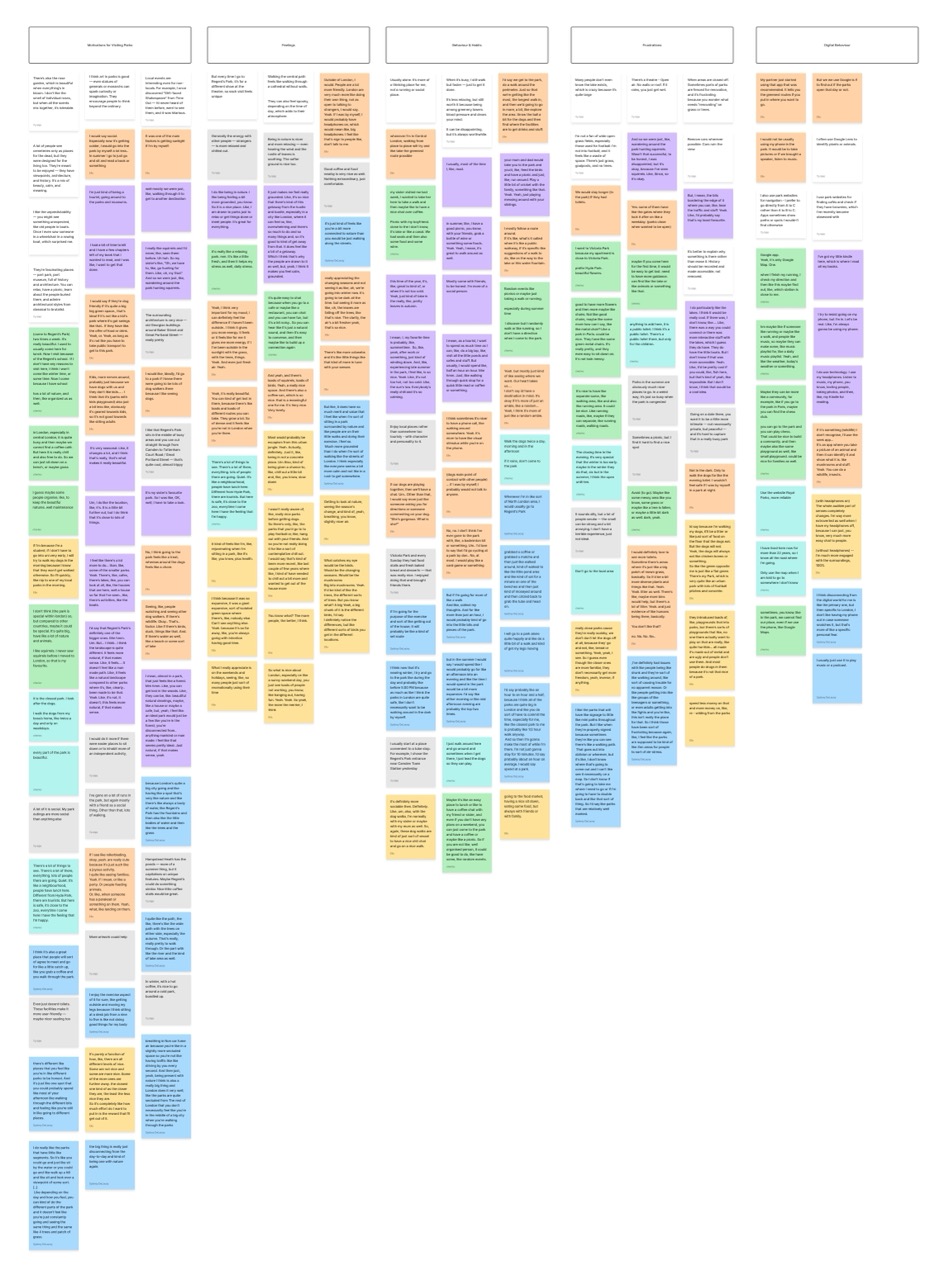
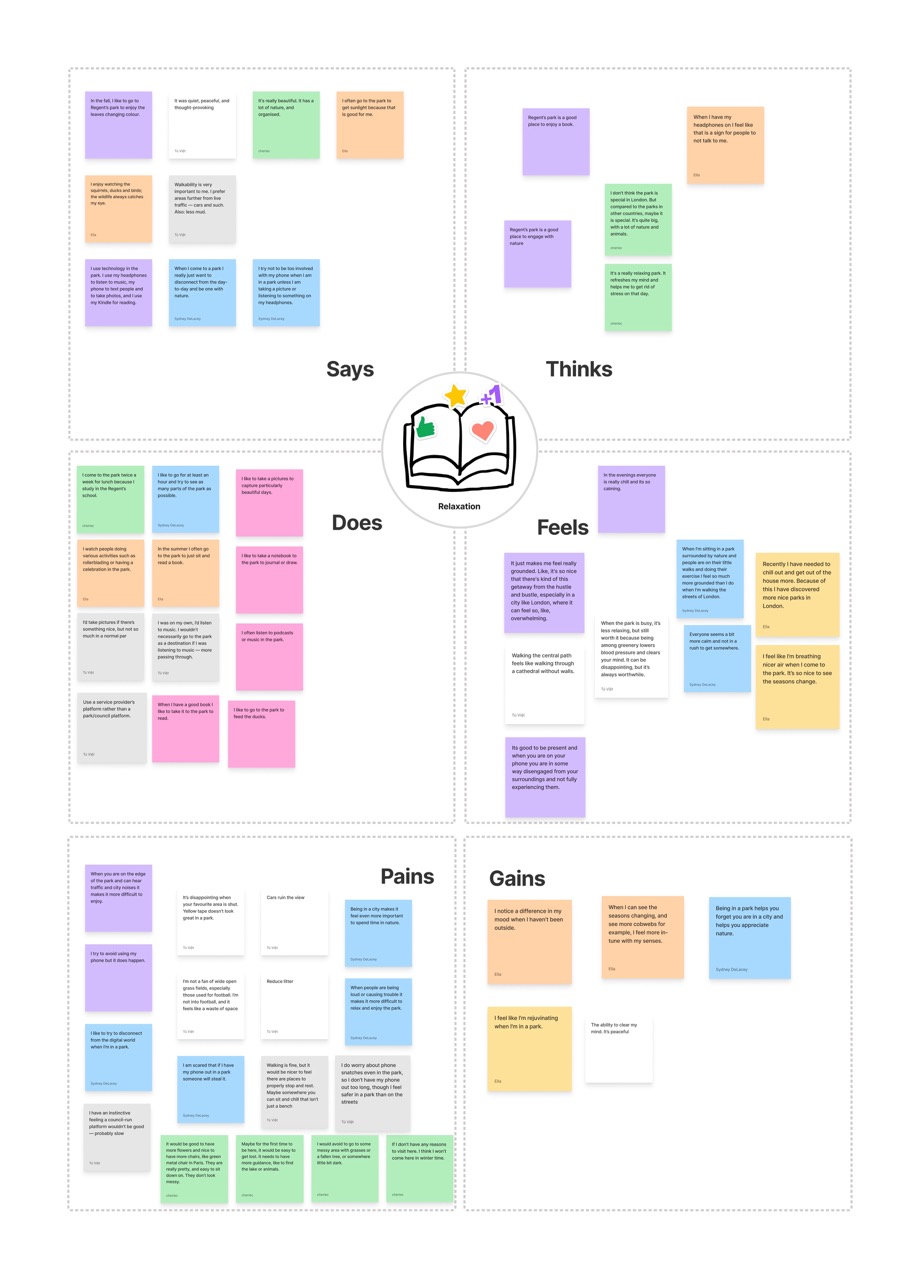
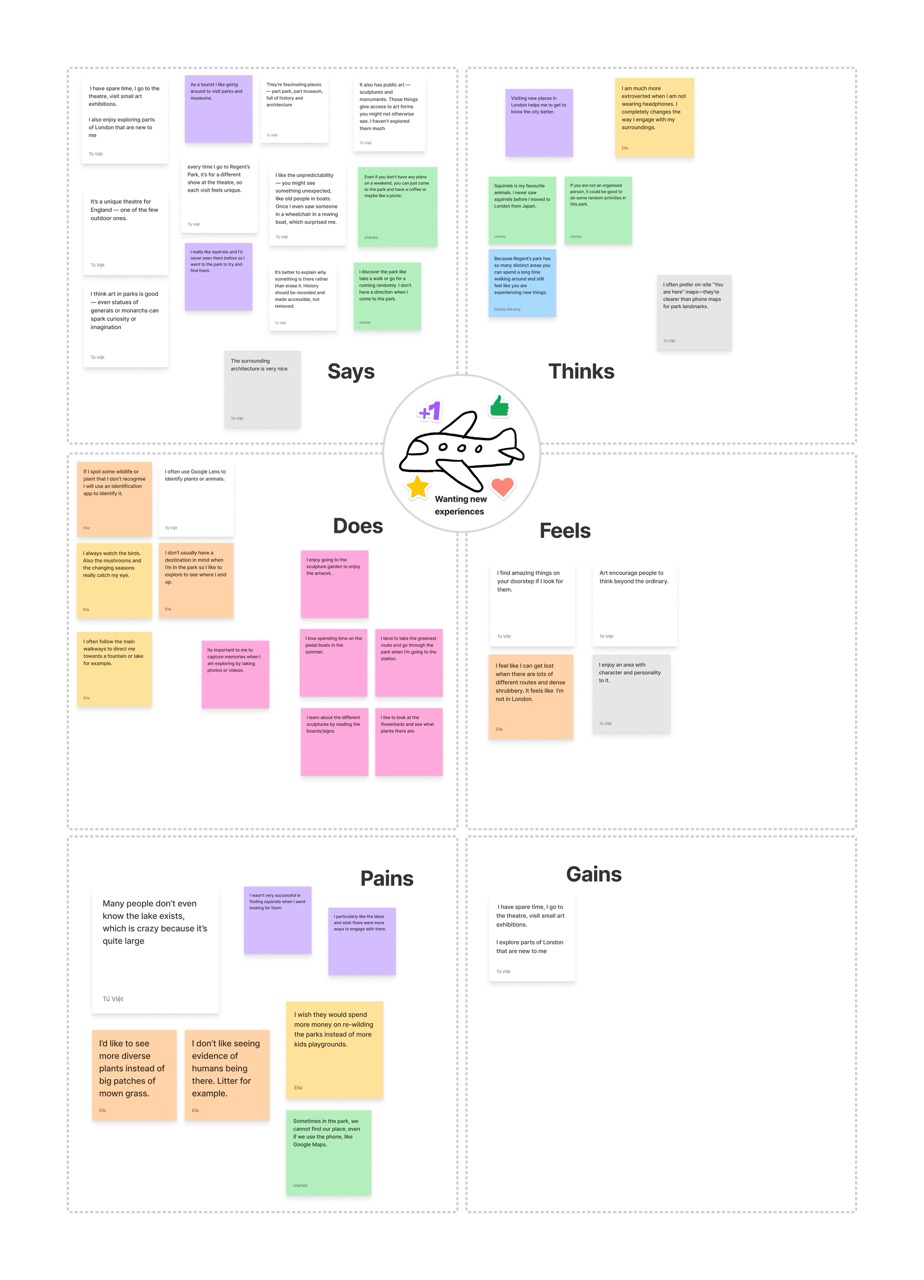
Synthesized interview findings into themed groups (motivations, feelings, behaviors, frustrations, digital behaviors) through collaborative analysis, revealing five distinct visitor archetypes including dog walkers, exercisers, socializers, relaxation-seekers, and experience-hunters
4. Empathy Mapping
Created five aggregated first-person empathy maps combining observation and interview data to deeply understand user attitudes, with particular focus on explorers and meditators as the most data-supported groups
5. User Story & Persona Development
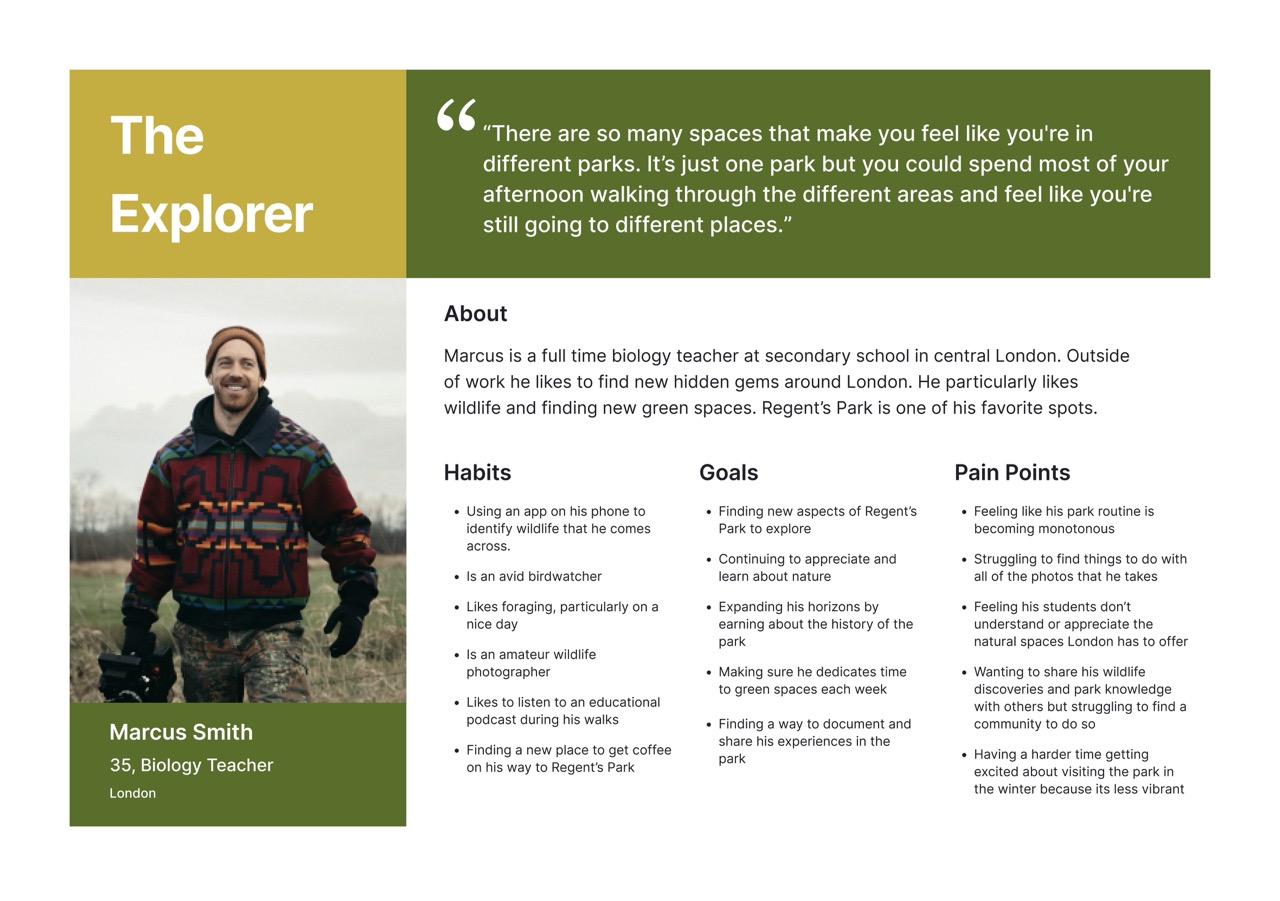
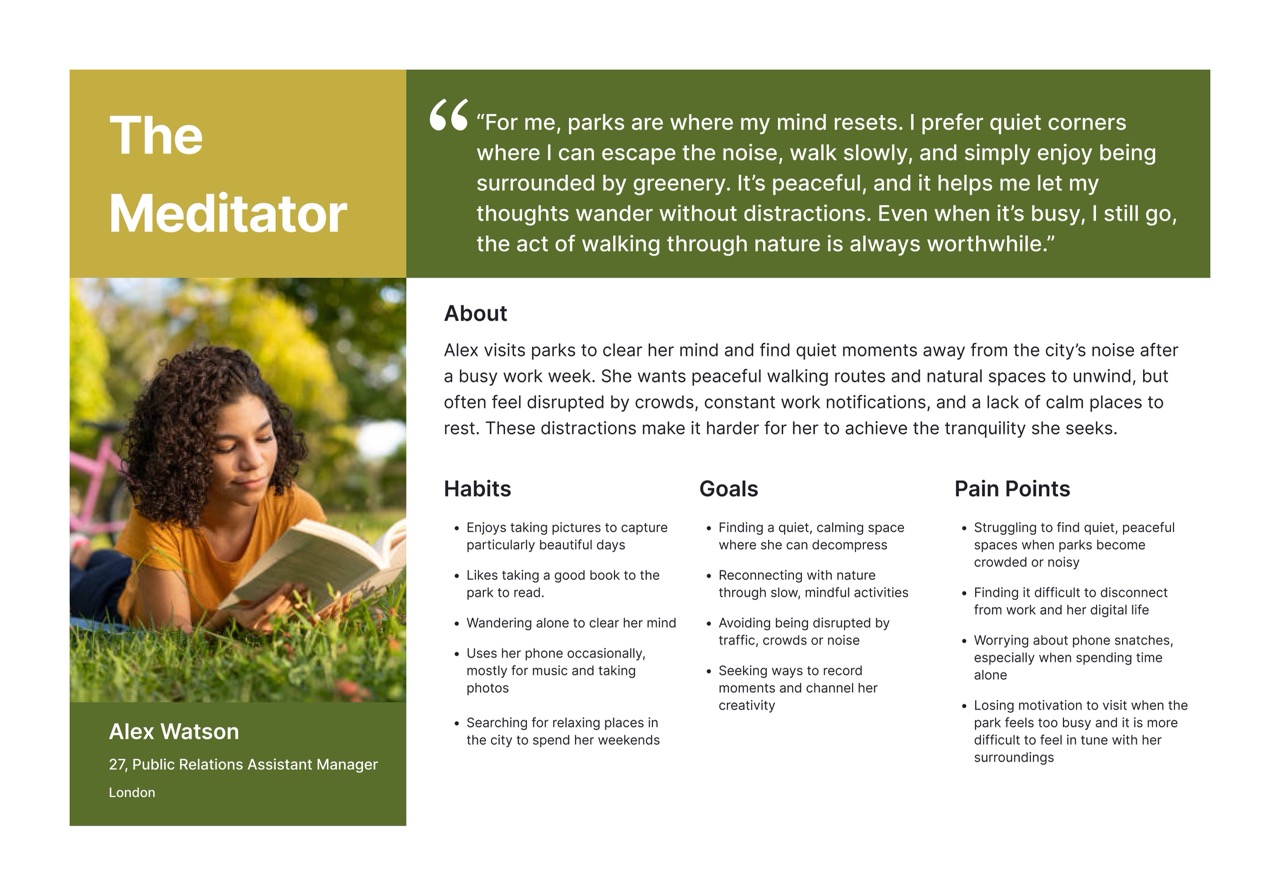
Translated empathy insights into specific user stories capturing goals and motivations, then developed detailed personas (Marcus the Explorer and Alex the Meditator) articulating pain points, needs, and behavioral patterns
6. Design Goal Definition
Established outcome-focused design goals addressing novelty and learning for explorers, and mindfulness and disconnection for meditators, ensuring alignment with authentic user needs
7. Divergent Ideation
Employed Worst Possible Ideas technique to build team comfort and identify features to avoid (noise, chaos, artificiality), followed by Crazy 8s sessions generating rapid concepts for each user group.
8. Concept Convergence & Refinement
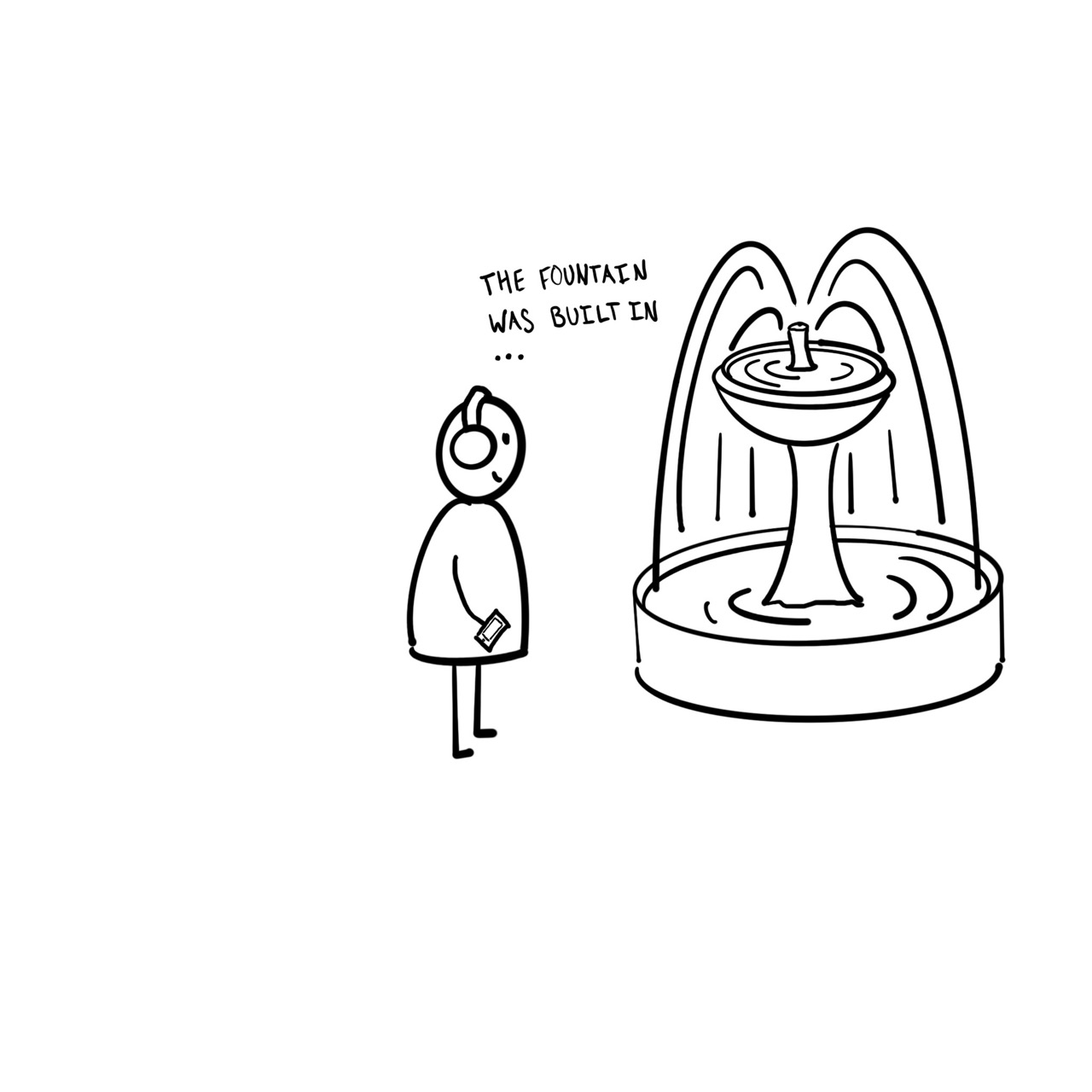
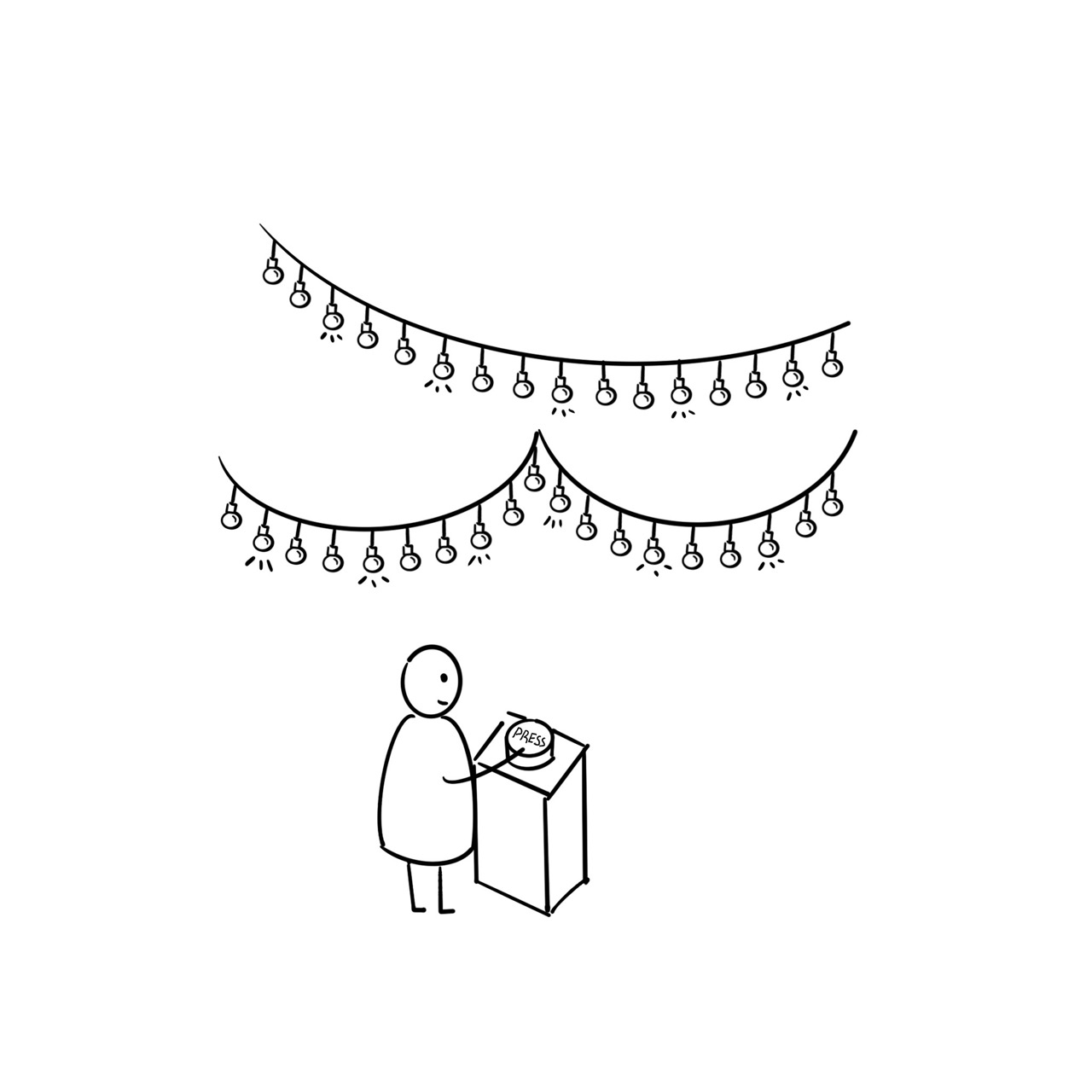
Used dot voting to select strongest ideas, then developed six refined concepts including music creation through plants, digital sticker diaries, calming audio guides, interactive light installations, seasonal photo sharing, and mindfulness prompts
9. Detailed Concept Development
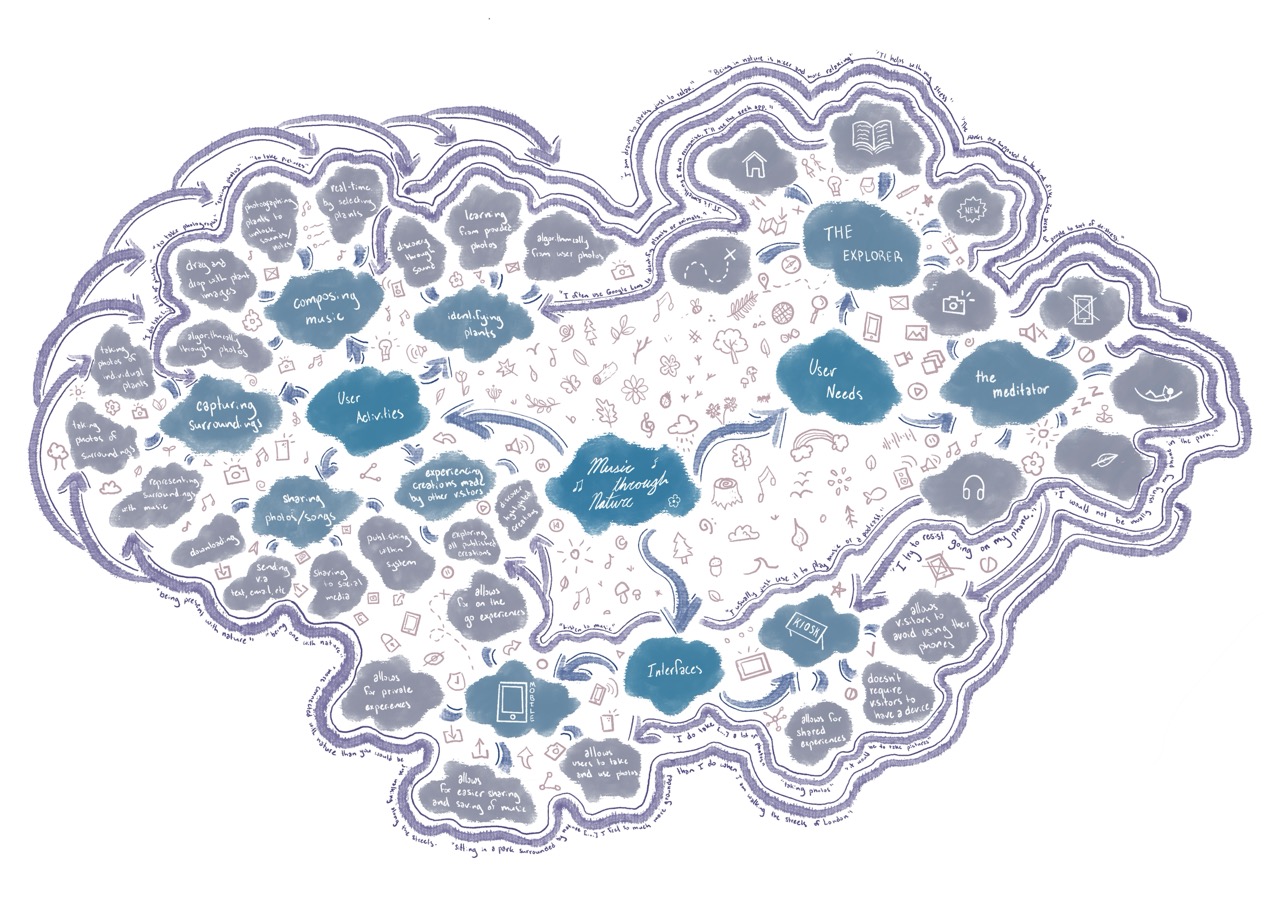
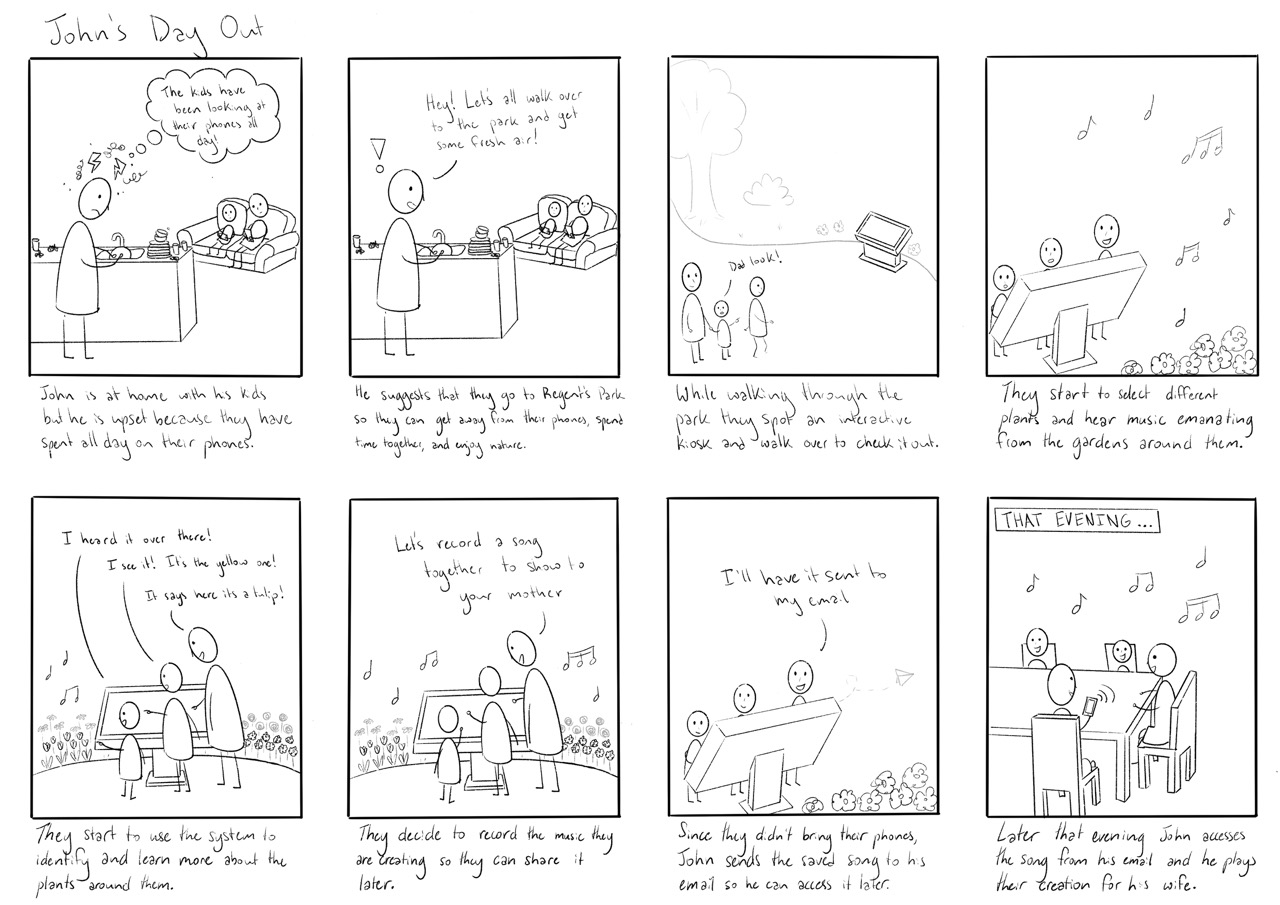
Selected music-through-nature concept for deep development, expanding through braindumping, mind mapping/sketchnote, storyboarding, and future user journey mapping for both kiosk and mobile components
10. Interaction Design & Wireframing
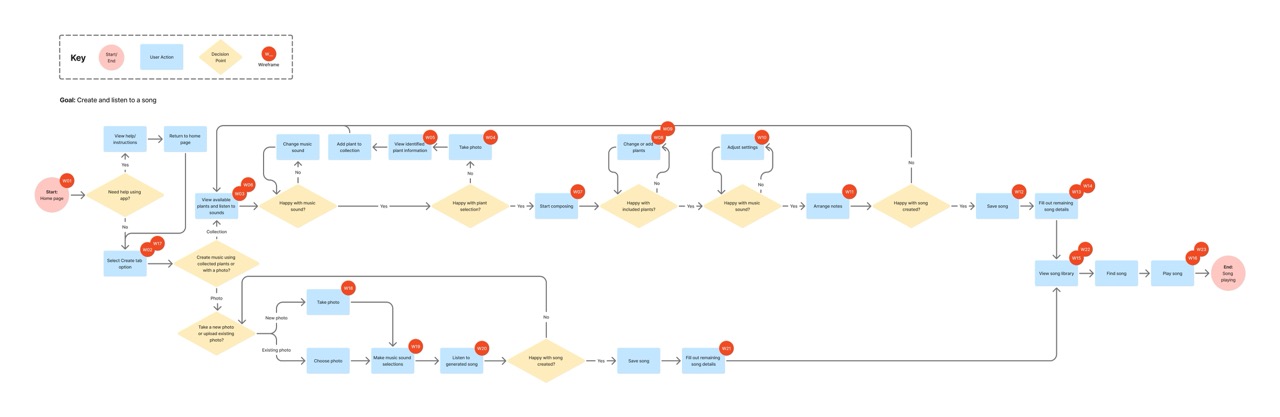
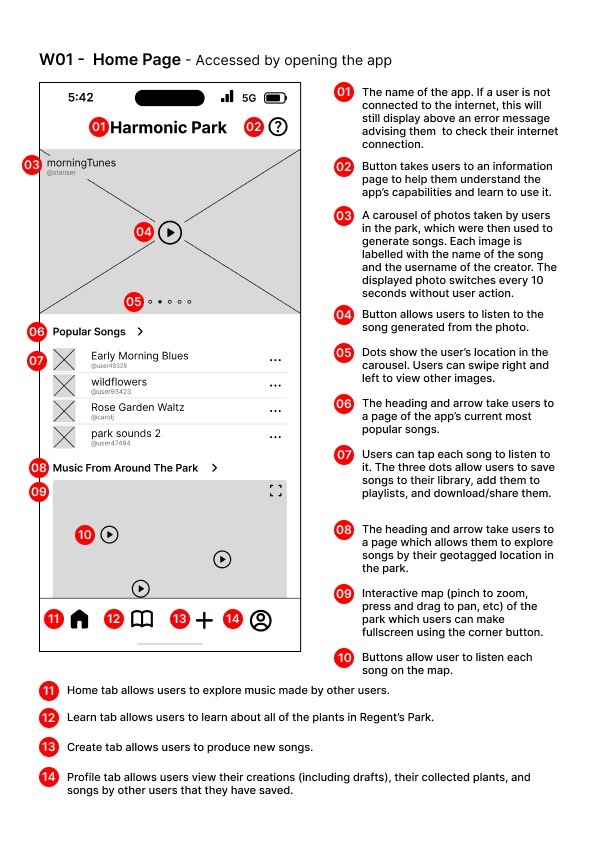
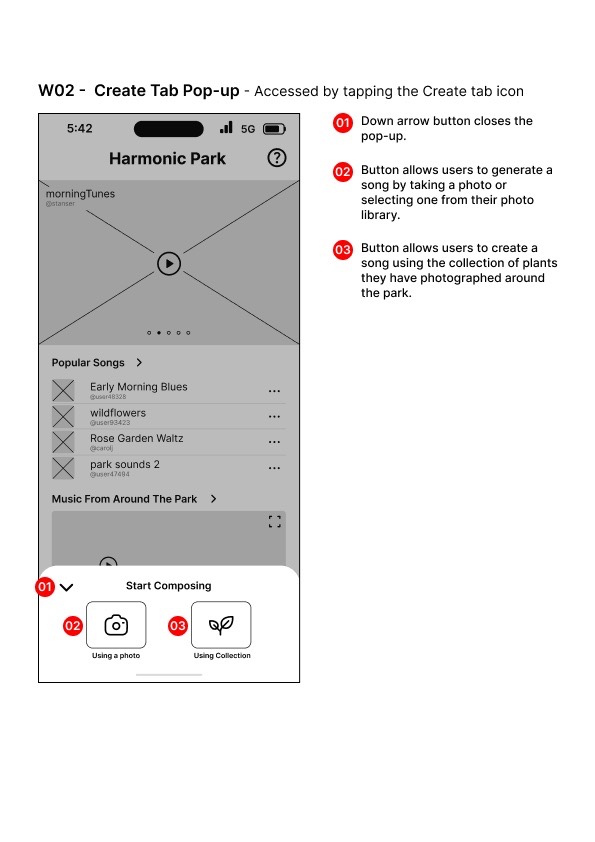
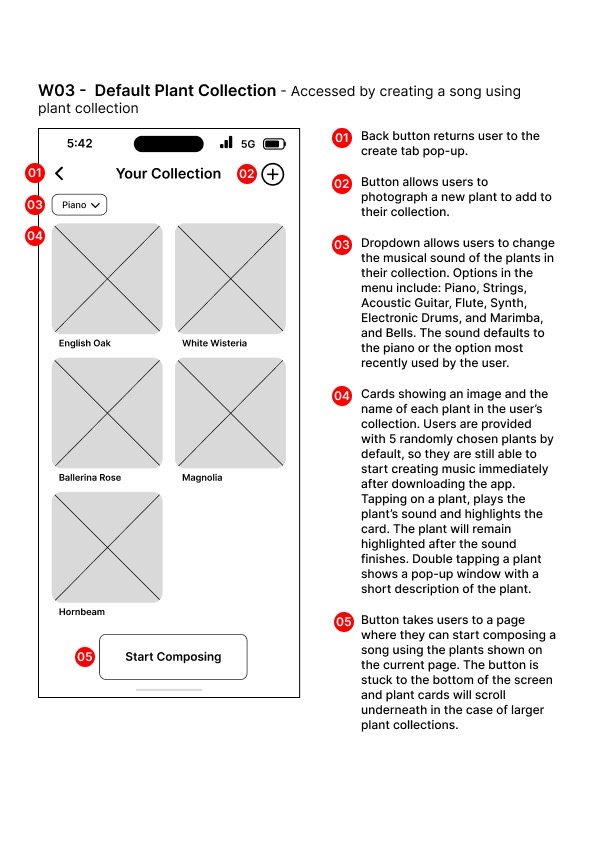
Created comprehensive user flows and wireframes documenting complete user journeys of the mobile system component, including plant collection, AI-powered song generation, manual composition, and sharing mechanisms with detailed screen states
11. Expert Review & Heuristic Evaluation
Conducted usability evaluation from Meditator perspective using Nielsen's 10 Heuristics and mobile design guidelines, identifying strengths in system status visibility and areas for improvement in consistency, shortcuts, and error handling